Before starting
Understand for, table, Position, Size and Anchored. Create a new Lesson08 Baseplate.
 PixelCraft
Roblox Studio · Lesson 8
Use Instance.new, Vector3 and loop to generate ladders, control spacing and height, and organize works into Folder.
Course overview
The previous lesson allowed the code to control existing landmarks in sequence. This time we go one step further: let the program create Parts by itself and then calculate the position of each level.
You are the designer of this ladder. The order, spacing and height are all concentrated at the beginning of the script, and a new version can be made by changing a number. Start by doing small, safe steps before trying more challenging routes.
Understand for, table, Position, Size and Anchored. Create a new Lesson08 Baseplate.
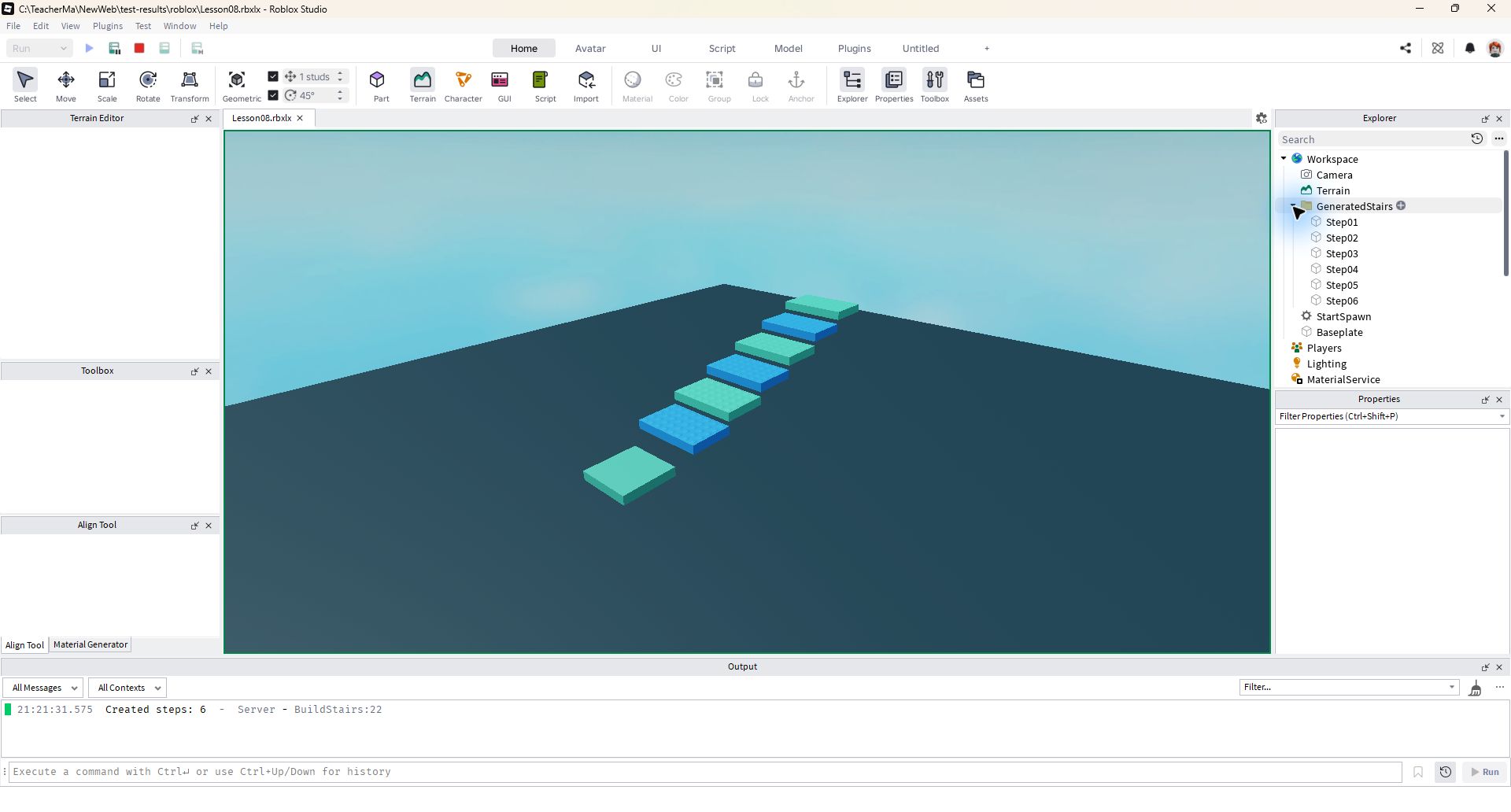
Automatically generates a six-step ladder after running, all of which is placed in the Generated Stairs folder.
There are exactly six Steps in Explorer, and the ladder will not fall; the objects generated after Stop disappear.
Learning route
Every time a small step is completed, it is tested. Say what you expect to see first, and then use Play and Output to check it. Don't rush to write all the code at once.
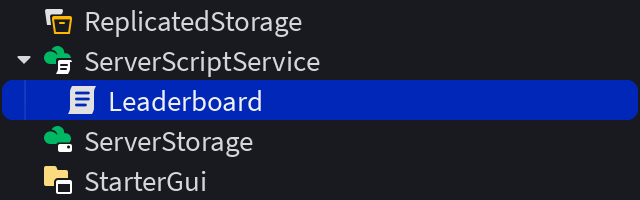
This lesson does not require manual creation of six Parts. Keep Baseplate and SpawnLocation, and create BuildStairs in ServerScriptService.
Instance.new("Part") will create a new Part, but it has not yet been placed in the scene. It only appears in the Workspace after setting the Parent to the workspace.
The height of the index level is 1 + index × RISE, and the forward distance is -index × DEPTH. The negative Z direction is the front of this practice map and does not represent the front of all camera frames.
% is the remainder. Here (index - 1) % 2 + 1 alternately gets 1, 2, 1, 2, so the two colors are taken in turn. First calculate the results when index is 1, 2, and 3 on paper.
The editor can fly and look at the model, but the player is limited by collisions, jumps and gravity. Only by walking from the birth point can you judge whether your spacing and height are appropriate.
Step by step
This lesson does not require manual creation of six Parts. Keep Baseplate and SpawnLocation, and create BuildStairs in ServerScriptService.
Start by leaving an open space of about 40 studs forward from the spawn point. The stairs created during runtime belong to the test copy; saving the script saves the recipe and does not automatically save the objects under test to the editing scene.
Step by step
Instance.new("Part") will create a new Part, but it has not yet been placed in the scene. It only appears in the Workspace after setting the Parent to the workspace.
Set the size, position and Anchored first, and finally set the Parent so that the object is ready when it enters the scene. Name is the name of the object, not the class that created it.
local step = Instance.new("Part")
step.Name = "Step01"
step.Size = Vector3.new(8, 1, 5)
step.Position = Vector3.new(0, 2, -8)
step.Anchored = true
step.Parent = workspace
Step by step
The height of the index level is 1 + index × RISE, and the forward distance is -index × DEPTH. The negative Z direction is the front of this practice map and does not represent the front of all camera frames.
The complete script first creates a Folder and then puts each level into it. This way you can fold the entire ladder and it won't get mixed up with hand-built parts.
local COUNT = 6
local RISE = 1.5
local DEPTH = 5
local colors = {
    Color3.fromRGB(60, 160, 235),
    Color3.fromRGB(90, 210, 175),
}

local stairs = Instance.new("Folder")
stairs.Name = "GeneratedStairs"
stairs.Parent = workspace

for index = 1, COUNT do
    local step = Instance.new("Part")
    step.Name = string.format("Step%02d", index)
    step.Size = Vector3.new(8, 1, DEPTH)
    step.Position = Vector3.new(0, 1 + index * RISE, -index * DEPTH)
    step.Color = colors[(index - 1) % #colors + 1]
    step.Anchored = true
    step.Parent = stairs
end
print("Created steps:", #stairs:GetChildren())
Step by step
% is the remainder. Here (index - 1) % 2 + 1 alternately gets 1, 2, 1, 2, so the two colors are taken in turn. First calculate the results when index is 1, 2, and 3 on paper.
string.format("Step%02d", index) Write the number as two digits to generate a name like Step01. It just makes the Explorer tidier and doesn't change the behavior of the stairs.
Step by step
The editor can fly and look at the model, but the player is limited by collisions, jumps and gravity. Only by walking from the birth point can you judge whether your spacing and height are appropriate.
If the height is too high, first adjust RISE back to 1.5. If the stairs are scattered, check whether each new Part is set to Anchored instead of just giving the Folder a "fixed" name.
Homework
Generate an 8-level ladder using three alternating colors.
Calculate the Y and Z coordinates of the fourth level, and then check the Properties during operation.
Add a new WIDTH constant, replace the hard-coded width 8 with WIDTH, and compare the two widths.
Exit questions
The object has not been set to a parent of the visible scene, or the position is not within view.
Fixed is an attribute of each Part, Folder will not be fixed for all sub-objects.
No. It is generated by a running script and the test copy is restored after Stop; the script still retains the recipe.
No, the loop will create eight levels with the new number.
Explore further
The text code can be copied directly. First confirm the script type, placement, and whether this code is a complete version or a small experiment; do not run multiple versions of the same script superimposed. The source of the interface reference picture has been marked. The object names in the picture may be different from those in this lesson. Please refer to the operation steps.
Download the code and placement instructions for this lesson