Before starting
Understand Touched, functions, if and tables. Use the new Lesson09 Baseplate.
 PixelCraft
Roblox Studio · Lesson 9
Knows Player, Character and Humanoid, using each role as a stand-alone cooler to make blood-tied and returned.
Course overview
This time, the organs will not only change color, but will also alter the life value of the role. Let's set the damage very small and give you time to observe, leave and try again.
Player is the player record, Character is the character model in the scene, and Humanoid manages health and movement. Finding a Humanoid does not yet guarantee that it belongs to a real player, as NPCs can also possess Humanoids.
Understand Touched, functions, if and tables. Use the new Lesson09 Baseplate.
A piece of Lava that deducts up to 10 health points per second, and a HealPad that restores up to 10 points per second.
Ordinary Part does not trigger; each of the two players has a cooldown; the health value will not exceed MaxHealth.
Learning route
Every time a small step is completed, it is tested. Say what you expect to see first, and then use Play and Output to check it. Don't rush to write all the code at once.
Keep the Baseplate first and avoid the trap of failure at first touch. You need to see how your health changes, rather than constantly respawning.
The otherPart given to you by Touched may be a leg or an ordinary block. FindFirstAncestorOfClass("Model") first finds the outer model, and then uses GetPlayerFromCharacter to confirm whether it is the player's character.
cooldown[character] Record "cooling down" under the name of the corresponding character. If one player touches it, it will not lock another player.
task.delay(1, function() ... end) arranges to clear the record after one second, so that subsequent scripts will not stop in place. The cooldown table records will be cleared and there is no need to permanently save the old character.
Roblox's default character may regenerate health slowly and automatically, making it easier to tell the effect of your own treatment by observing it in a short period of time. Don't mistake automatic recovery after a few seconds for repeated triggering.
Step by step
Keep the Baseplate first and avoid the trap of failure at first touch. You need to see how your health changes, rather than constantly respawning.
The two mechanisms handle damage and treatment respectively. They use the same script and only differentiate the effects by the number DAMAGE.
Step by step
The otherPart given to you by Touched may be a leg or an ordinary block. FindFirstAncestorOfClass("Model") first finds the outer model, and then uses GetPlayerFromCharacter to confirm whether it is the player's character.
This is more stringent than checking Humanoid alone. If you can't find a model, a player, or a surviving Humanoid, you return it ahead of time without changing any life value.
Step by step
cooldown[character] Record "cooling down" under the name of the corresponding character. If one player touches it, it will not lock another player.
Using TakeDamage to deduct blood can respect ForceField protection. It is normal that no blood will be lost when the protective shield is present after birth. Wait for the protection to end before testing; for treatment, use math.min to limit the upper limit.
local Players = game:GetService("Players")
local pad = script.Parent
local DAMAGE = 10 -- HealPad 内改为 -10,表示恢复
local cooldown = {}

pad.Touched:Connect(function(otherPart)
    local character = otherPart:FindFirstAncestorOfClass("Model")
    if not character then return end
    local player = Players:GetPlayerFromCharacter(character)
    local humanoid = character:FindFirstChildOfClass("Humanoid")
    if not player or not humanoid or humanoid.Health <= 0 then return end
    if cooldown[character] then return end
    cooldown[character] = true

    if DAMAGE > 0 then
        humanoid:TakeDamage(DAMAGE)
    else
        humanoid.Health = math.min(humanoid.MaxHealth, humanoid.Health - DAMAGE)
    end
    print(player.Name, "Health:", humanoid.Health)
    task.delay(1, function()
        cooldown[character] = nil
    end)
end)
Step by step
task.delay(1, function() ... end) arranges to clear the record after one second, so that subsequent scripts will not stop in place. The cooldown table records will be cleared and there is no need to permanently save the old character.
Touched is a contact event, which is not guaranteed to be triggered every second when standing still. The rule here is "When a new contact comes, it can be processed at most once per second", not "As long as you stand on it, your blood will be deducted every second."
Step by step
Roblox's default character may regenerate health slowly and automatically, making it easier to tell the effect of your own treatment by observing it in a short period of time. Don't mistake automatic recovery after a few seconds for repeated triggering.
If the green block also deducts blood, what is checked is the DAMAGE inside the green block, not the red block script. When debugging, confirm which object you have selected.
Homework
Change the damage to 5 and the treatment to 15, and test them separately.
Draw the relationship between Player, Character, and Humanoid, and mark the location of Health.
Add a print containing the organization name to distinguish Lava and HealPad messages.
Exit questions
No, NPCs may also have them. GetPlayerFromCharacter is used to confirm whether it belongs to the player.
Let the different players cool down and avoid sharing a lock among all players.
The post-birth ForceField may be protecting the character, and TakeDamage will respect this protection.
No, it only handles contact events, and it is not guaranteed to occur once per second when standing still.
Explore further
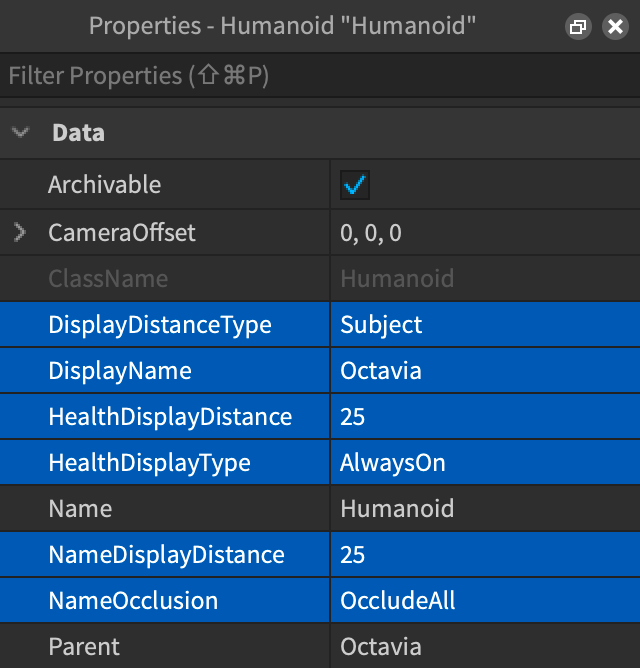
The text code can be copied directly. First confirm the script type, placement, and whether this code is a complete version or a small experiment; do not run multiple versions of the same script superimposed. The source of the interface reference picture has been marked. The object names in the picture may be different from those in this lesson. Please refer to the operation steps.
Download the code and placement instructions for this lesson