Trigger
The player enters the world, and Fabric's JOIN event hands the player object to us.
 PixelCraft
Fabric 1.20 entity spawn tutorial
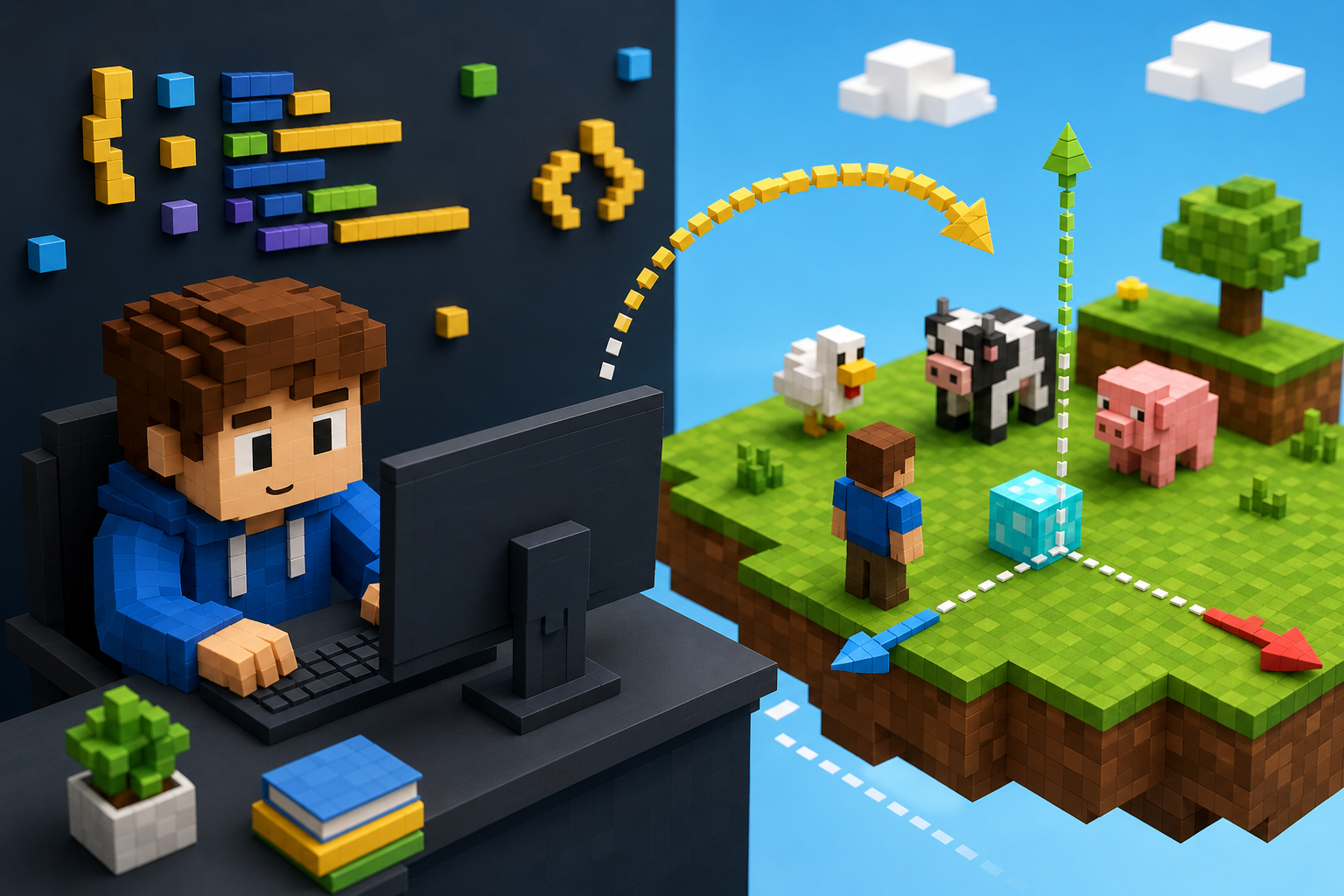
This lesson has a very visual effect: when the player enters the world of Minecraft, the server produces two rows of chickens in front of the player. After learning, the same set of ideas can be replaced with cattle, pigs, wolves, zombies or a square array at the front.
Project result
In Fabric MOD, there is no specific player when "starting Minecraft", so the really suitable time to write generation logic is after the player enters the world. We use `ServerPlayConnectionEvents.JOIN` to listen for this moment and then create entities in the server world.
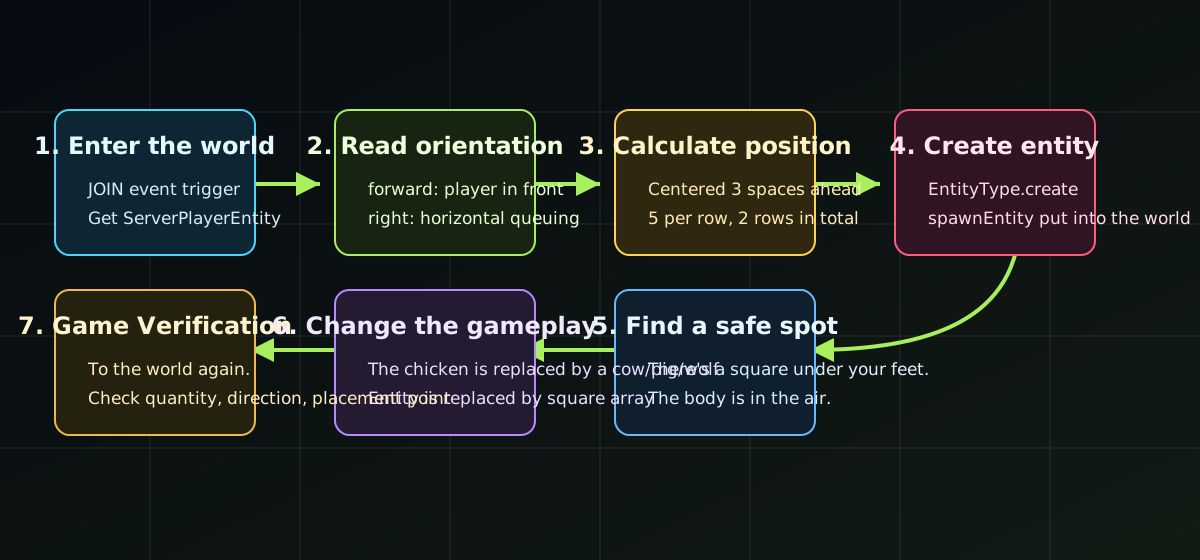
The player enters the world, and Fabric's JOIN event hands the player object to us.
Read the player in the direction, find a center point at 3 squares ahead and form two rows.
Create the entity on the server side, set the position and direction, and finally put it into the world.
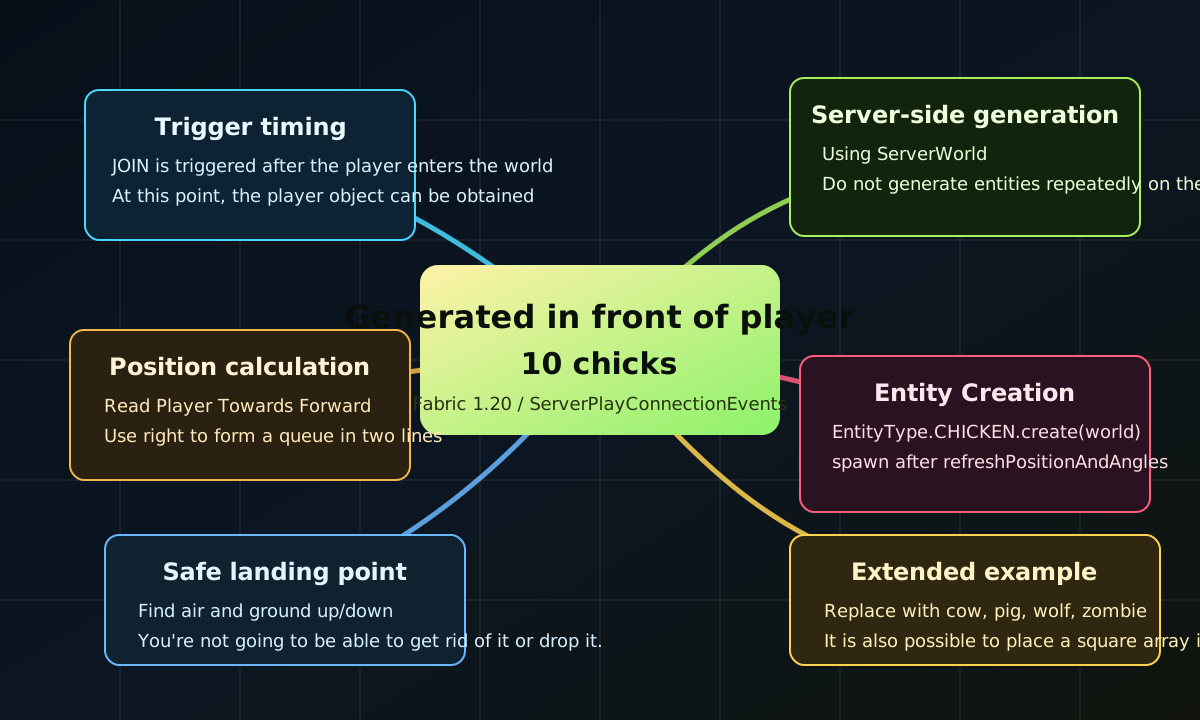
Mind map
Tip: If you get 10 extra chicks every time you re-enter the world, this is normal. This version demonstrates "trigger when entering the world". If you only want to trigger it when you enter for the first time, you can add player data records.
Build flow
Code guide
package mls.maik;

import mls.maik.block.ModBlocks;
import mls.maik.event.ModPlayerEvents;
import mls.maik.item.ModItems;
import net.fabricmc.api.ModInitializer;
import org.slf4j.Logger;
import org.slf4j.LoggerFactory;

public class Maik implements ModInitializer {
    public static final String MOD_ID = "maik";
    public static final Logger LOGGER = LoggerFactory.getLogger(MOD_ID);

    @Override
    public void onInitialize() {
        ModBlocks.registerModBlocks();
        ModItems.registerModItems();
        ModPlayerEvents.register();
        LOGGER.info("Hello Fabric world!");
    }
}package mls.maik.event;
import net.fabricmc.fabric.api.networking.v1.ServerPlayConnectionEvents;
import net.minecraft.entity.Entity;
import net.minecraft.entity.EntityType;
import net.minecraft.server.network.ServerPlayerEntity;
import net.minecraft.server.world.ServerWorld;
import net.minecraft.util.math.BlockPos;
import net.minecraft.util.math.Direction;
public class ModPlayerEvents {
private static final int SPAWN_DISTANCE = 3;
private static final int ENTITIES_PER_ROW = 5;
public static void register() {
ServerPlayConnectionEvents.JOIN.register((handler, sender, server) -> {
ServerPlayerEntity player = handler.getPlayer();
spawnEntityGrid(player, EntityType.CHICKEN, 10);
});
}
private static void spawnEntityGrid(ServerPlayerEntity player, EntityType<? extends Entity> entityType, int count) {
ServerWorld world = player.getServerWorld();
Direction forward = player.getHorizontalFacing();
Direction right = forward.rotateYClockwise();
BlockPos center = player.getBlockPos().offset(forward, SPAWN_DISTANCE);
for (int i = 0; i < count; i++) {
int sideOffset = (i % ENTITIES_PER_ROW) - (ENTITIES_PER_ROW / 2);
int forwardOffset = i / ENTITIES_PER_ROW;
BlockPos spawnPos = center.offset(right, sideOffset).offset(forward, forwardOffset);
Entity entity = entityType.create(world);
if (entity != null) {
BlockPos safePos = findSafeSpawnPos(world, spawnPos);
entity.refreshPositionAndAngles(
safePos.getX() + 0.5,
safePos.getY(),
safePos.getZ() + 0.5,
player.getYaw() + 180.0F,
0.0F
);
world.spawnEntity(entity);
}
}
}
private static BlockPos findSafeSpawnPos(ServerWorld world, BlockPos startPos) {
for (int yOffset = 2; yOffset >= -3; yOffset--) {
BlockPos pos = startPos.up(yOffset);
if (world.getBlockState(pos).isAir()
&& world.getBlockState(pos.up()).isAir()
&& !world.getBlockState(pos.down()).isAir()) {
return pos;
}
}
return startPos;
}
}// 10 只小鸡
spawnEntityGrid(player, EntityType.CHICKEN, 10);
// 6 头牛
spawnEntityGrid(player, EntityType.COW, 6);
// 8 只猪
spawnEntityGrid(player, EntityType.PIG, 8);
// 4 只狼
spawnEntityGrid(player, EntityType.WOLF, 4);
// 5 只僵尸。注意:僵尸是敌对生物,生存模式里会攻击玩家。
spawnEntityGrid(player, EntityType.ZOMBIE, 5);import mls.maik.block.ModBlocks;
import net.minecraft.block.Block;
import net.minecraft.block.Blocks;
// 在 register() 中可以这样调用:
placeBlocksInFront(player, Blocks.DIAMOND_BLOCK, 10);
placeBlocksInFront(player, ModBlocks.ggblock, 10);
private static void placeBlocksInFront(ServerPlayerEntity player, Block block, int count) {
ServerWorld world = player.getServerWorld();
Direction forward = player.getHorizontalFacing();
Direction right = forward.rotateYClockwise();
BlockPos center = player.getBlockPos().offset(forward, SPAWN_DISTANCE);
for (int i = 0; i < count; i++) {
int sideOffset = (i % ENTITIES_PER_ROW) - (ENTITIES_PER_ROW / 2);
int forwardOffset = i / ENTITIES_PER_ROW;
BlockPos pos = center.offset(right, sideOffset).offset(forward, forwardOffset);
if (world.getBlockState(pos).isAir()) {
world.setBlockState(pos, block.getDefaultState());
}
}
}The main class `Maik` is responsible for registering all modules, and the event class is responsible for the logic after the player enters the world. In the future, if you want to change to generate other entities, add particles, or give text prompts to the player, you can all adjust them in this file.
Key ideas
The logic that truly changes the world in Minecraft must be placed on the server side. `player.getServerWorld()` here is the key.
`getHorizontalFacing()` will give the direction the player is facing, and `rotateYClockwise()` can calculate the right direction for queuing.
The entity position is set with `refreshPositionAndAngles`, and finally put into the world with `world.spawnEntity(entity)`.
If the foot is air, the chick may fall; if the body position is not air, it may get stuck in the block.
The last number of `spawnEntityGrid(player, EntityType.CHICKEN, 10)` is the quantity.
This effect is suitable for the demonstration of events. The formal play method can be recorded and only triggers the first entry of each player.
Creative extensions
This kind of program is suitable for the first Fabric event practice as a student, because it gives very fast feedback: to go into the world, to see results, to change codes, and then to enter the world. So much can be done with trigger timing and location calculations.
Fits for start-up learning entity generation, with cute results and low risks.
By increasing the quantity, you can make a mini ranch after the player enters the world.
Replace entities with blocks, and you can put out numbers, paths or customized block display stands.
What students learn
Students will understand that code is not run randomly, but is called after a certain game event occurs.
Starting from the player position, forward direction, and lateral offset, establish a sense of space in the 3D world.
Replacing the chicken with other entities or blocks means moving from "doing it" to "changing it yourself".