Sign up
Entity types, monster spawn eggs, and attribute events are all linked to the Forge event system.
 PixelCraft
Forge 1.20.1 Mario creature lesson
Make a Forge MOD a light-hearted, lively Mario-style creature that jumps and shoots fireballs. The course focuses on entity registration, attribute design, AI skills, model texture repair and animation troubleshooting.
Course overview
Two typical problems occurred in the previous MOD debugging: the entity did not appear in the summon list, and the model texture was in disordered position and had no animation. This page breaks them down into checkable implementation flows, allowing students to progress from "can summon" to "acting like a real game creature."
Entity types, monster spawn eggs, and attribute events are all linked to the Forge event system.
The amount of blood, the speed at which it moves, the tendency to jump and the range of attacks are designed as "light characters".
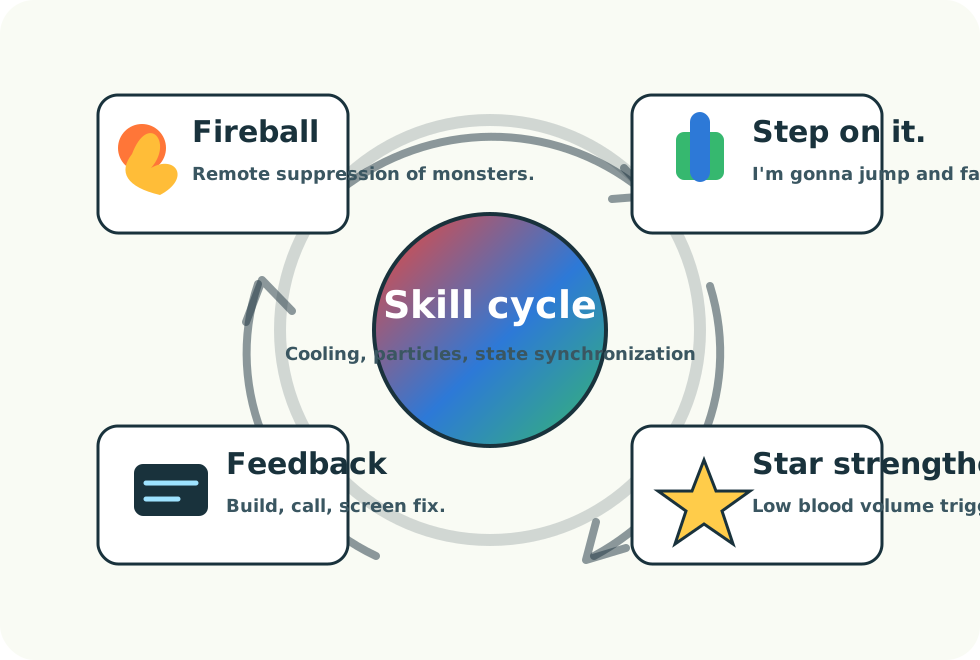
Pedals, fireballs, sprints, gold coin particle feedback form a core play cycle.
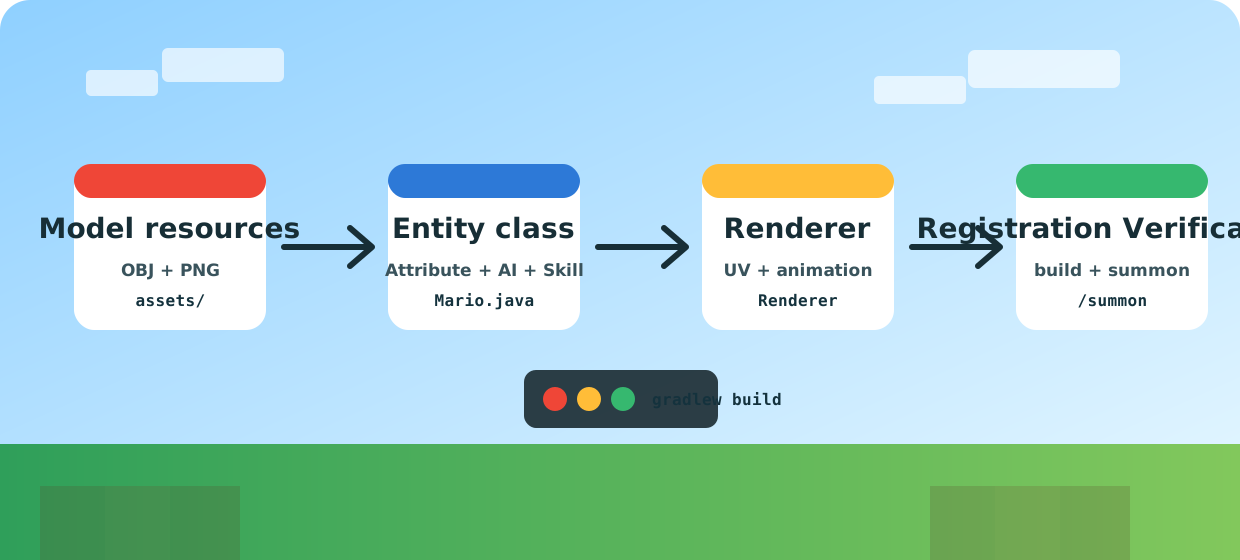

Mind map
The page follows the dark background, a clear grid and course description of the PixelCraft, while adding Mario's red, blue, yellow and green dots to make it look more like an easy creative lesson than the horror Boss page.
Build steps
If there is no Mario in the command completion, first check whether the `DeferredRegister` uses the correct `MODID`.
Being able to register an entity does not mean it can be generated. In the absence of attribute binding, summoning will often fail or directly report an error.
The sticker is placed in `textures/entity/mario/ ' and the model is exported with reference to the same naming system.
Do not release fireballs and sprints every tick, use cooldown and distance judgment to maintain the rhythm of the battle.
Divide states according to idle, walk, jump, and attack to synchronize actions and AI behaviors.
Use `/summon examplemod:mario` and log to check entities, renders, textures and animations simultaneously.
Code guide
public class ModEntities {
    public static final DeferredRegister<EntityType<?>> ENTITIES =
        DeferredRegister.create(ForgeRegistries.ENTITY_TYPES, ExampleMod.MODID);

    public static final RegistryObject<EntityType<MarioEntity>> MARIO =
        ENTITIES.register("mario", () -> EntityType.Builder
            .of(MarioEntity::new, MobCategory.CREATURE)
            .sized(0.8F, 1.85F)
            .clientTrackingRange(10)
            .build(new ResourceLocation(ExampleMod.MODID, "mario").toString()));

    public static void register(IEventBus bus) {
        ENTITIES.register(bus);
    }
}public static AttributeSupplier.Builder createAttributes() {
return PathfinderMob.createMobAttributes()
.add(Attributes.MAX_HEALTH, 36.0D)
.add(Attributes.MOVEMENT_SPEED, 0.34D)
.add(Attributes.ATTACK_DAMAGE, 6.0D)
.add(Attributes.FOLLOW_RANGE, 28.0D)
.add(Attributes.KNOCKBACK_RESISTANCE, 0.15D);
}
@Override
protected void registerGoals() {
this.goalSelector.addGoal(1, new FloatGoal(this));
this.goalSelector.addGoal(2, new MarioFireballGoal(this));
this.goalSelector.addGoal(3, new MeleeAttackGoal(this, 1.18D, true));
this.goalSelector.addGoal(4, new WaterAvoidingRandomStrollGoal(this, 1.0D));
this.goalSelector.addGoal(5, new LookAtPlayerGoal(this, Player.class, 8.0F));
this.targetSelector.addGoal(1, new NearestAttackableTargetGoal<>(this, Monster.class, true));
}public class MarioFireballGoal extends Goal {
private final MarioEntity mario;
private int cooldown;
public MarioFireballGoal(MarioEntity mario) {
this.mario = mario;
}
@Override
public boolean canUse() {
LivingEntity target = mario.getTarget();
return target != null
&& target.isAlive()
&& mario.distanceTo(target) < 14.0F
&& cooldown-- <= 0;
}
@Override
public void start() {
LivingEntity target = mario.getTarget();
if (target == null) return;
SmallFireball fireball = new SmallFireball(mario.level(), mario, 0, 0, 0);
fireball.setPos(mario.getX(), mario.getEyeY() - 0.15D, mario.getZ());
fireball.shoot(target.getX() - mario.getX(), target.getEyeY() - mario.getEyeY(), target.getZ() - mario.getZ(), 1.3F, 0.8F);
mario.level().addFreshEntity(fireball);
mario.playSound(SoundEvents.BLAZE_SHOOT, 0.7F, 1.25F);
cooldown = 80;
}
}public class MarioRenderer extends MobRenderer<MarioEntity, MarioModel<MarioEntity>> {
private static final ResourceLocation TEXTURE =
new ResourceLocation(ExampleMod.MODID, "textures/entity/mario/mario.png");
public MarioRenderer(EntityRendererProvider.Context context) {
super(context, new MarioModel<>(context.bakeLayer(MarioModel.LAYER_LOCATION)), 0.42F);
}
@Override
public ResourceLocation getTextureLocation(MarioEntity entity) {
return TEXTURE;
}
}
// 贴图错位时优先检查:
// 1. PNG 是否在 assets/examplemod/textures/entity/mario/mario.png
// 2. 模型导出的 UV 坐标是否匹配贴图尺寸
// 3. MTL/OBJ 文件名中是否有空格或特殊字符
// 4. 客户端事件是否注册了 EntityRenderers.register(ModEntities.MARIO.get(), MarioRenderer::new)Demo check
The course video is taken from your Minecraft Forge screen. This presentation portal is maintained on the web page to enable students to match their own game effects.
Debug board
`ModEntities.register(modEventBus)`, attribute events, and client renderer registration are indispensable.
Export the Java model again from Blockbench to confirm the size of the sticker and the model UV using the same PNG.
If only static OBJ is imported, there will be no skeletal animation by default. Requires GeckoLib or Java model animation logic.