
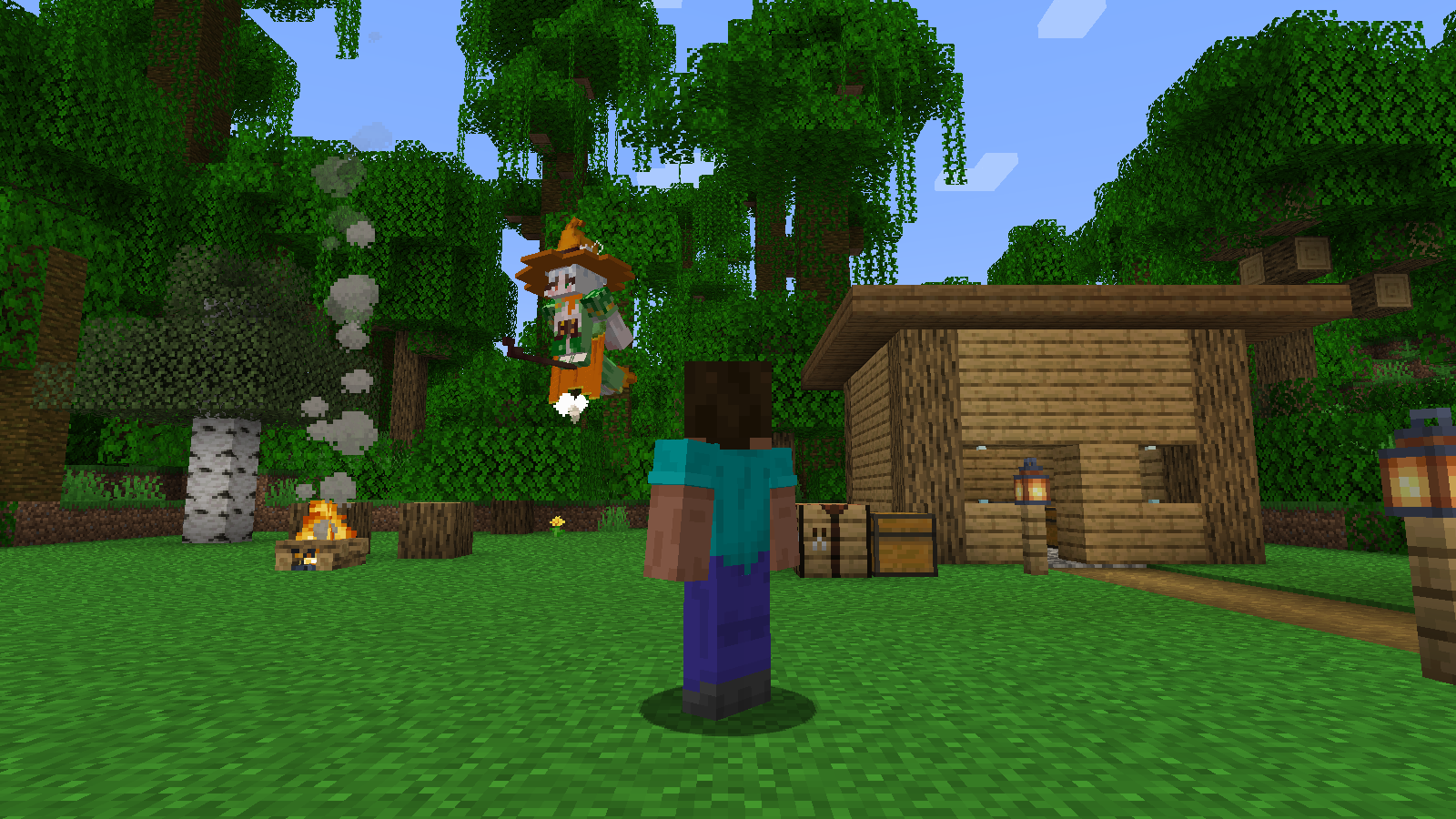
Get ready
Choose the Right Download to Get Started Smoothly.
Prepare a Windows computer, Minecraft Java Edition and IntelliJ IDEA. This project uses Minecraft 1.20, JDK 21, Fabric Loader 0.16.14, Fabric API 0.83.0+1.20. Please experience it in the new test world first.
Complete learning project
Contains only the code, Gradle files, models, and textures needed for the Witch project. After decompression, open it with IDEA and you can run, modify and build it.
Download source code ZIP ↓Incremental update of original project
Added new witch code and resources, and provided two merged entry files. Attached are instructions for checking before updating and the compiled original project MOD.
Download update ZIP ↓Independent trial installation package
Contains compiled witch JAR and Chinese installation instructions. The Fabric game for Minecraft 1.20 also requires the same version of the Fabric API.
Download trial ZIP ↓Learning projects are used for making from scratch; incremental updates are used for existing simon-minecraft-template-1.20; use the playtest package in a new test world. The learning project and original project share the MOD ID simon-minecraft, only one version can be shown in the modes folder of the same game.
Suggested rhythm:Complete 1-2 stages every day, and continue after acceptance. If you don’t know Java, you can review it Java basic course; does not run Fabric, look back MOD Lesson 1. The model can be found in Witch model pageRotation observation can also be downloaded to Blockbench.
Play first and succeed: bring partners into the world
Your Goal for This Step:See the witch in the test world, switch between walking and flying modes.
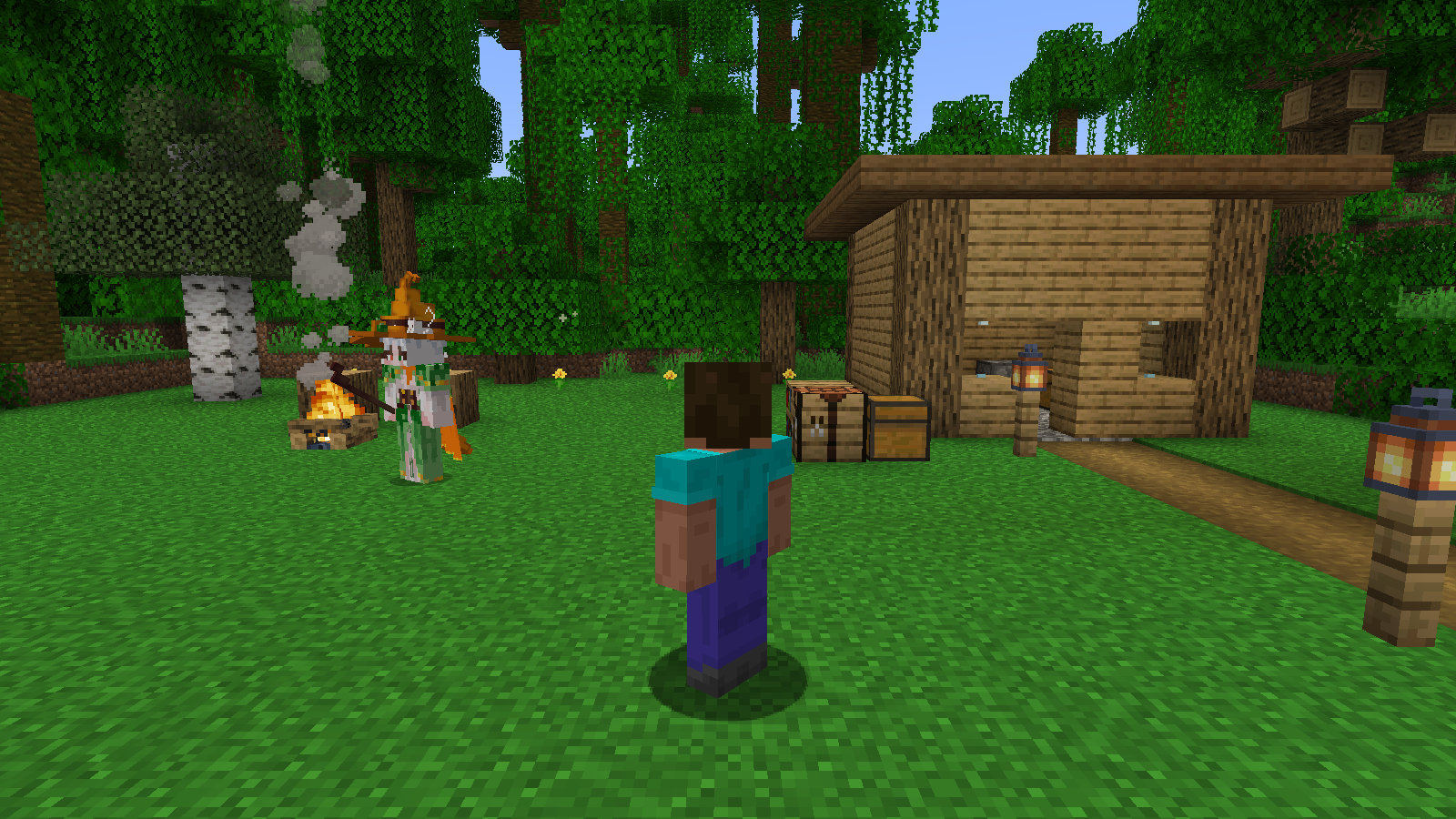
First use the complete learning project to make the first success. Instead of writing all the code yourself just yet, make sure your computer can run it.
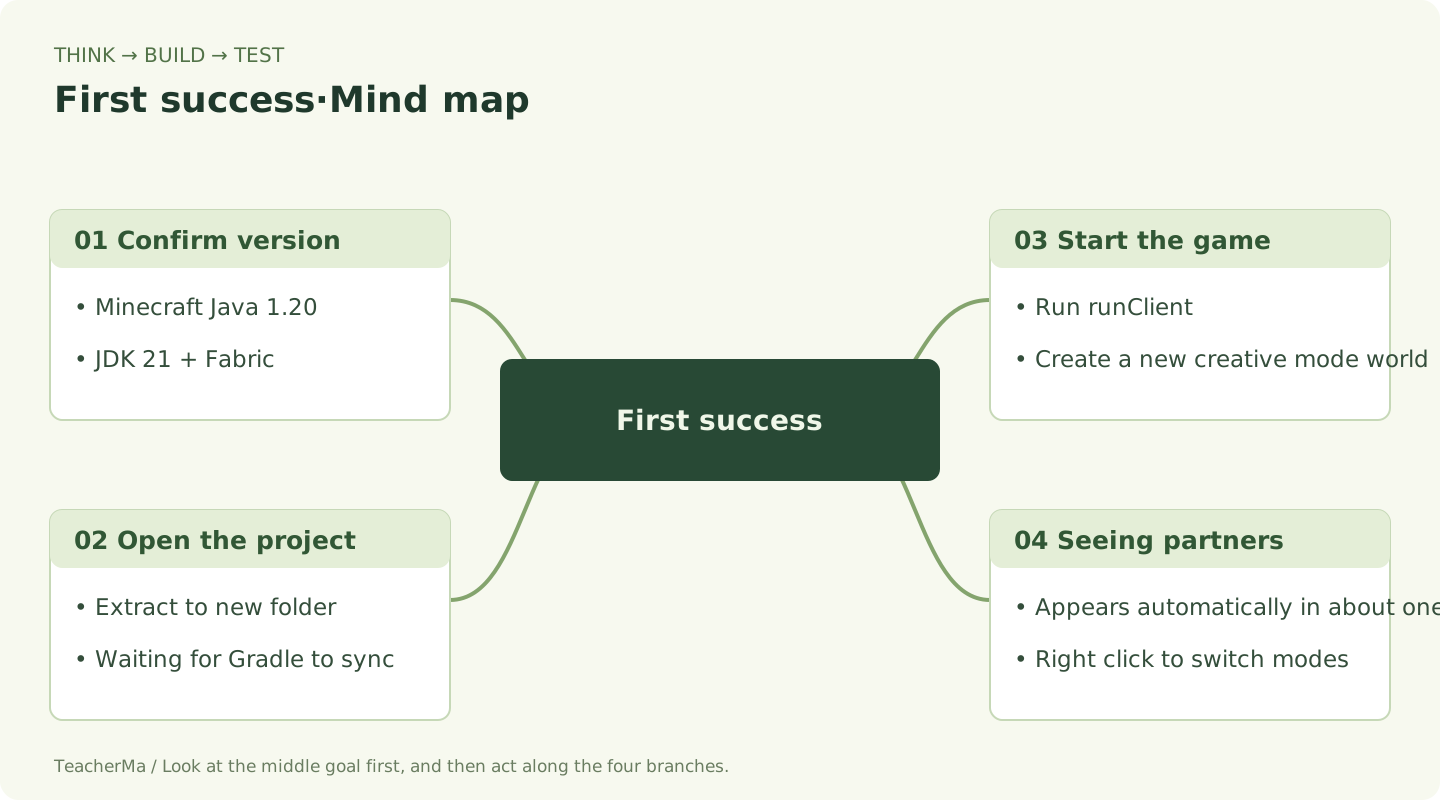
- Download and unzip.Click Complete Learning Project and extract the entire ZIP into a new folder, such as
C:\MinecraftProjects\witch-companion. You should see it directly after entering the folderbuild.gradle,gradlew.batandsrc. - Open in IDEA.Choose File → Open and select that folder. The first launch needs an internet connection to download Gradle, Minecraft and dependencies. Wait for synchronization to finish.
- Select JDK 21.File → Project Structure → Project SDK choose 21; Settings → Build, Execution, Deployment → Build Tools → Gradle → Gradle JVM also choose 21.
- Build first, then start.Open the Terminal at the bottom of IDEA and run the following two commands in sequence. The first item appears
BUILD SUCCESSFULAfter that, run the second one. - Build a test world.In the game, select Singleplayer → Create New World / Create a new world, select creative mode, enable cheating, and select normal difficulty. Cheats are used for later time and zombie tests.
- See the witch.Wait about a second after entering the world, then look nearby. Walk forward a few steps and watch her follow. Right-click the witch to cycle through automatic, walking and flying modes.
Run PowerShell/IDEA Terminal in the project root directory
.\gradlew.bat build
.\gradlew.bat runClient
Press during game T Open the chat and enter the following command. The companion command is used to control your own witch and does not require administrator privileges.
Three commands for the first trial
/witch mode walk
/witch mode fly
/witch mode auto
I already have simon-minecraft-template-1.20, how should I add it?
- Close the running game and back up the project first
srcfolder. - Open the incremental update package and follow
UPLOAD-README.txtPut the newly addedwitchJava packages, models and textures are copied to the same path. - Add the following two sets of registration codes to the original entry method. Original registrations for other blocks, items, and entities are retained.
- If your entry file is completely consistent with the original version corresponding to the update package, you can use the merged entries in the package; if you have changed them yourself, just add the registration code.
- Return to the project root directory and run
.\gradlew.bat build, run after success.\gradlew.bat runClient.
SimonMinecraft.java → Added in onInitialize()
com.malaoshi.simon.witch.WitchContent.register();SimonMinecraftClient.java → Added in onInitializeClient()
com.malaoshi.simon.witch.client.WitchCompanionRenderer.registerResources();
EntityRendererRegistry.register(
    com.malaoshi.simon.witch.WitchContent.WITCH,
    com.malaoshi.simon.witch.client.WitchCompanionRenderer::new
);
See the witch in the test world, switch between walking and flying modes. Once you do that, move on to the next stage.
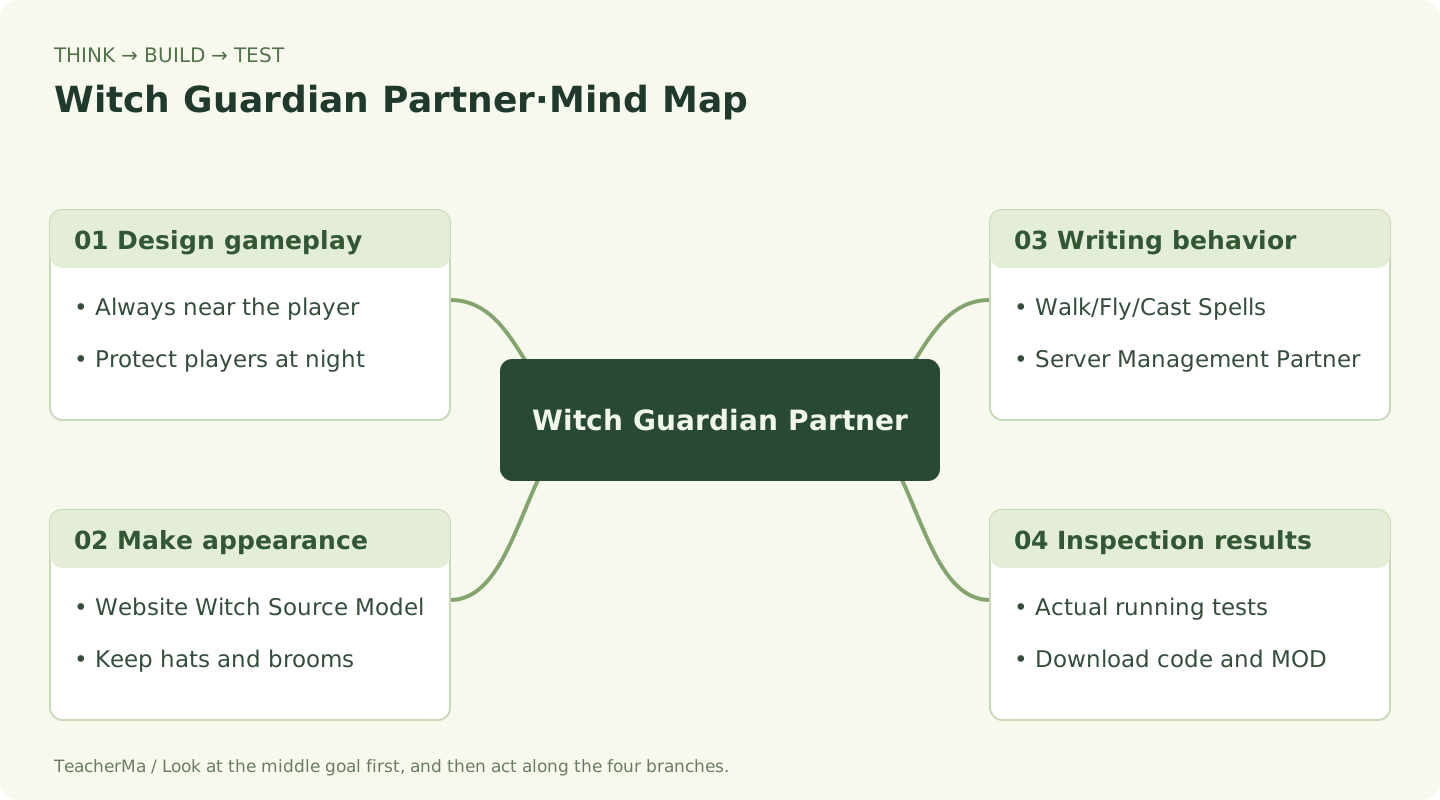
Design the Gameplay: Give Your Companion a Task Card
Your Goal for This Step:Explain the order of following, night combat and recall.
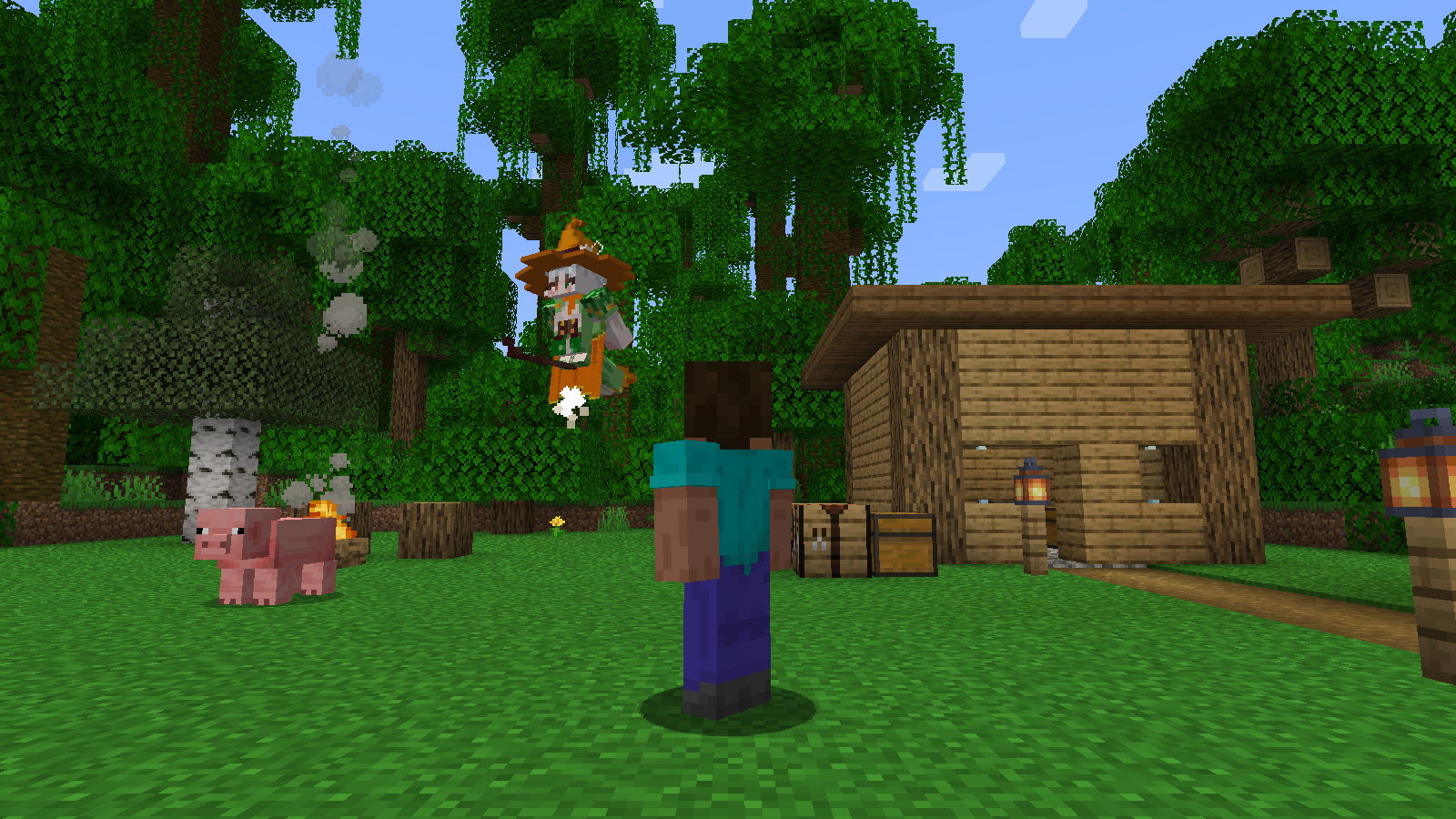
NPCs are programmed characters. Our witch has three jobs:Follow you, protect you at night and find you after falling behind. Write these rules clearly first, and you will know what to do first when writing code.
| Situation seen | What is the witch going to do? |
|---|---|
| The player has just entered the world | The server prepares a partner for this player. |
| When no enemies are nearby | Follow the pattern on foot, or fly nearby on a broomstick. |
| At night, there are zombies nearby | Give priority to looking at and attacking the zombies, and continue to accompany them after the end. |
| More than 28 blocks from the player | Finding a safe location near the player for recall. |
| Player went to another dimension | The old partner exits and a new partner is reestablished in the new dimension. |
Automatic Mode:Alternate between walking and flying approximately every 20 seconds.Walking mode:Always following on the ground.Flying Mode:Keep flying around the player on a broomstick. Attack priority is higher than daily companionship.
Draw a player and witch on paper, and then draw three arrows: walk, fly, and protect. Under each arrow write "When will it happen?" This task card is your first game design.
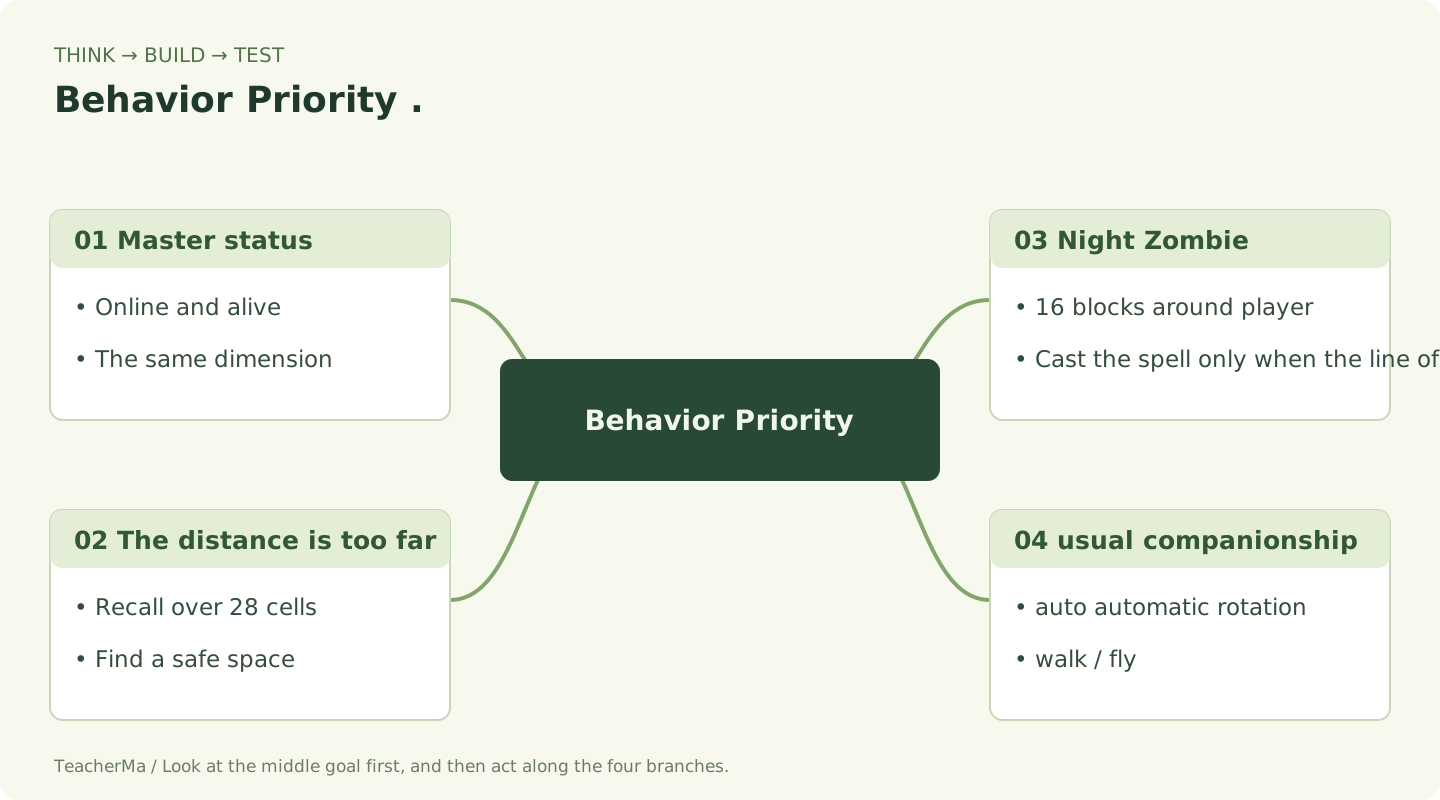
Explain the order of following, night combat and recall. Once you can do this, move to the next stage.
Connect the Model: Where Does Its Shape Come From?
Your Goal for This Step:Find the model file, 6 textures, and renderer and see how they work together.
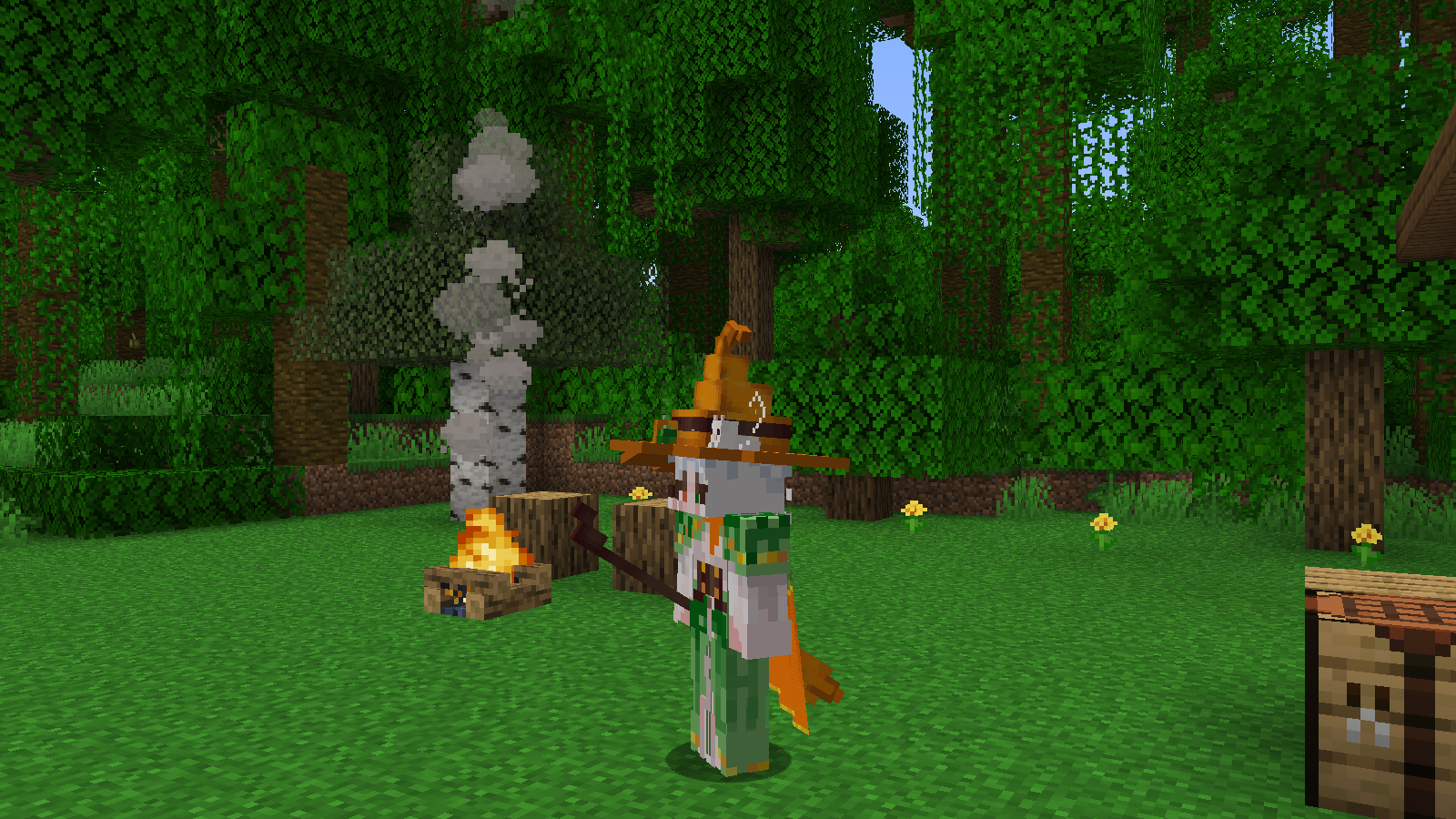
The model tells the game "what it looks like" and the program tells the game "what it does". This project follows the witch model from the website, retaining the cat in the hat, cape, broomstick, clothes and original pixel textures.
- Open Witch 3D Model Page, drag and rotate to recognize body, hat, cape and broom.
- Found in project
src/main/resources/assets/simon-minecraft/witch/mesh.json. It saves the vertices, UVs, and normals of each mapped face. - Open
textures/entity/witchCheck.texture_0.pngtotexture_5.pngA total of 6 textures. - Open
WitchCompanionRenderer.java. It loads the mesh, selects textures for each face, and draws the walking or flying pose.
- Vertex
- The four corners of the square determine where the shape is.
- UV
- Take a small piece of pixels from the texture image, like putting a small sticker on the square.
- normal
- The direction this face points, allowing lighting to distinguish bright and dark areas.
The web model cannot be put directly into Java Item JSON: it has multiple textures and parts at arbitrary angles. This has been converted to Mesh of 384 texture faces. You do not need to install additional animation modules first.
View the complete file: client/WitchCompanionRenderer.java
src/main/java/com/malaoshi/simon/witch/client/WitchCompanionRenderer.java
package com.malaoshi.simon.witch.client;

import com.google.gson.*;
import com.malaoshi.simon.SimonMinecraft;
import com.malaoshi.simon.witch.WitchCompanionEntity;
import net.fabricmc.fabric.api.resource.*;
import net.minecraft.client.render.*;
import net.minecraft.client.render.entity.*;
import net.minecraft.client.util.math.MatrixStack;
import net.minecraft.resource.*;
import net.minecraft.util.Identifier;
import net.minecraft.util.math.RotationAxis;
import org.joml.Vector3f;
import java.io.*;
import java.nio.charset.StandardCharsets;
import java.util.*;

/** 网页原模型逐面导出,保留 64 个方块、原 UV、旋转及 6 张纹理。 */
public class WitchCompanionRenderer extends EntityRenderer<WitchCompanionEntity> {
    private record Face(String part, int texture, float[][] points, float[][] uv, float[] normal) {}
    private static volatile List<Face> faces = List.of();
    private static final Identifier MESH = new Identifier(SimonMinecraft.MOD_ID, "witch/mesh.json");
    private static final Identifier[] TEXTURES = new Identifier[6];
    static { for (int i = 0; i < 6; i++) TEXTURES[i] = new Identifier(SimonMinecraft.MOD_ID, "textures/entity/witch/texture_" + i + ".png"); }

    public WitchCompanionRenderer(EntityRendererFactory.Context context) { super(context); shadowRadius = 0.4f; }
    public static void registerResources() {
        ResourceManagerHelper.get(ResourceType.CLIENT_RESOURCES).registerReloadListener(new SimpleSynchronousResourceReloadListener() {
            @Override public Identifier getFabricId() { return new Identifier(SimonMinecraft.MOD_ID, "witch_mesh"); }
            @Override public void reload(ResourceManager manager) {
                try (Reader reader = new InputStreamReader(manager.getResourceOrThrow(MESH).getInputStream(), StandardCharsets.UTF_8)) {
                    JsonObject json = JsonParser.parseReader(reader).getAsJsonObject();
                    List<Face> loaded = new ArrayList<>();
                    for (JsonElement item : json.getAsJsonArray("faces")) {
                        JsonObject face = item.getAsJsonObject();
                        loaded.add(new Face(face.get("part").getAsString(), face.get("texture").getAsInt(),
                            matrix(face.getAsJsonArray("points")), matrix(face.getAsJsonArray("uv")), array(face.getAsJsonArray("normal"))));
                    }
                    faces = List.copyOf(loaded);
                    SimonMinecraft.LOGGER.info("Witch mesh loaded: {} textured faces", faces.size());
                } catch (IOException | RuntimeException error) {
                    throw new IllegalStateException("女巫模型加载失败: " + MESH, error);
                }
            }
        });
    }
    private static float[] array(JsonArray values) {
        float[] result = new float[values.size()];
        for (int i = 0; i < values.size(); i++) result[i] = values.get(i).getAsFloat();
        return result;
    }
    private static float[][] matrix(JsonArray values) {
        float[][] result = new float[values.size()][];
        for (int i = 0; i < values.size(); i++) result[i] = array(values.get(i).getAsJsonArray());
        return result;
    }
    @Override public Identifier getTexture(WitchCompanionEntity entity) { return TEXTURES[0]; }

    @Override public void render(WitchCompanionEntity entity, float yaw, float delta, MatrixStack matrices, VertexConsumerProvider buffers, int light) {
        matrices.push();
        matrices.multiply(RotationAxis.POSITIVE_Y.rotationDegrees(180 - yaw));
        matrices.scale(0.0625f, 0.0625f, 0.0625f);
        matrices.translate(0, 10, 0);
        float time = entity.age + delta;
        float step = (float)Math.sin(time * 0.65) * Math.min(1, (float)entity.getVelocity().horizontalLength() * 8) * 28;
        for (Face face : faces) {
            matrices.push();
            if (face.part.equals("broom") && entity.isBroomFlying()) {
                // 源扫帚已有 -57° 旋转,再转 -33° 即成为水平扫帚。
                matrices.translate(-5.5, -3, 0);
                pivot(matrices, 5.5f, 2.7f, .775f, -33, 0, 0);
            } else if (face.part.equals("right_leg") || face.part.equals("left_leg")) {
                float side = face.part.equals("right_leg") ? 1 : -1;
                pivot(matrices, side * 1.9f, 2, 0, entity.isBroomFlying() ? -65 : step * side, 0, 0);
            } else if (face.part.equals("right_arm") || face.part.equals("left_arm")) {
                float side = face.part.equals("right_arm") ? 1 : -1;
                pivot(matrices, side * 5, 13, 0, entity.isBroomFlying() ? -40 : -step * side * .6f, 0, side * 2);
            } else if (face.part.equals("cape")) {
                pivot(matrices, 0, 15, -6, entity.isBroomFlying() ? 15 : (float)Math.sin(time * .08) * 3, 0, 0);
            }
            MatrixStack.Entry entry = matrices.peek();
            VertexConsumer consumer = buffers.getBuffer(RenderLayer.getEntityCutoutNoCull(TEXTURES[face.texture]));
            Vector3f normal = new Vector3f(face.normal[0], face.normal[1], face.normal[2]).normalize();
            for (int i = 0; i < 4; i++) {
                float[] p = face.points[i], uv = face.uv[i];
                consumer.vertex(entry.getPositionMatrix(), p[0], p[1], p[2])
                    .color(255, 255, 255, 255).texture(uv[0], uv[1])
                    .overlay(OverlayTexture.DEFAULT_UV).light(light)
                    .normal(entry.getNormalMatrix(), normal.x, normal.y, normal.z).next();
            }
            matrices.pop();
        }
        matrices.pop();
        super.render(entity, yaw, delta, matrices, buffers, light);
    }
    private static void pivot(MatrixStack matrices, float x, float y, float z, float rx, float ry, float rz) {
        matrices.translate(x, y, z);
        matrices.multiply(RotationAxis.POSITIVE_Z.rotationDegrees(rz));
        matrices.multiply(RotationAxis.POSITIVE_Y.rotationDegrees(ry));
        matrices.multiply(RotationAxis.POSITIVE_X.rotationDegrees(rx));
        matrices.translate(-x, -y, -z);
    }
}

Find the model file, 6 textures, and renderer and see how they work together. Once you do that, move on to the next stage.
Organizing project: finding the home of each file
Your Goal for This Step:Check the Java package name, resource path and two entries.
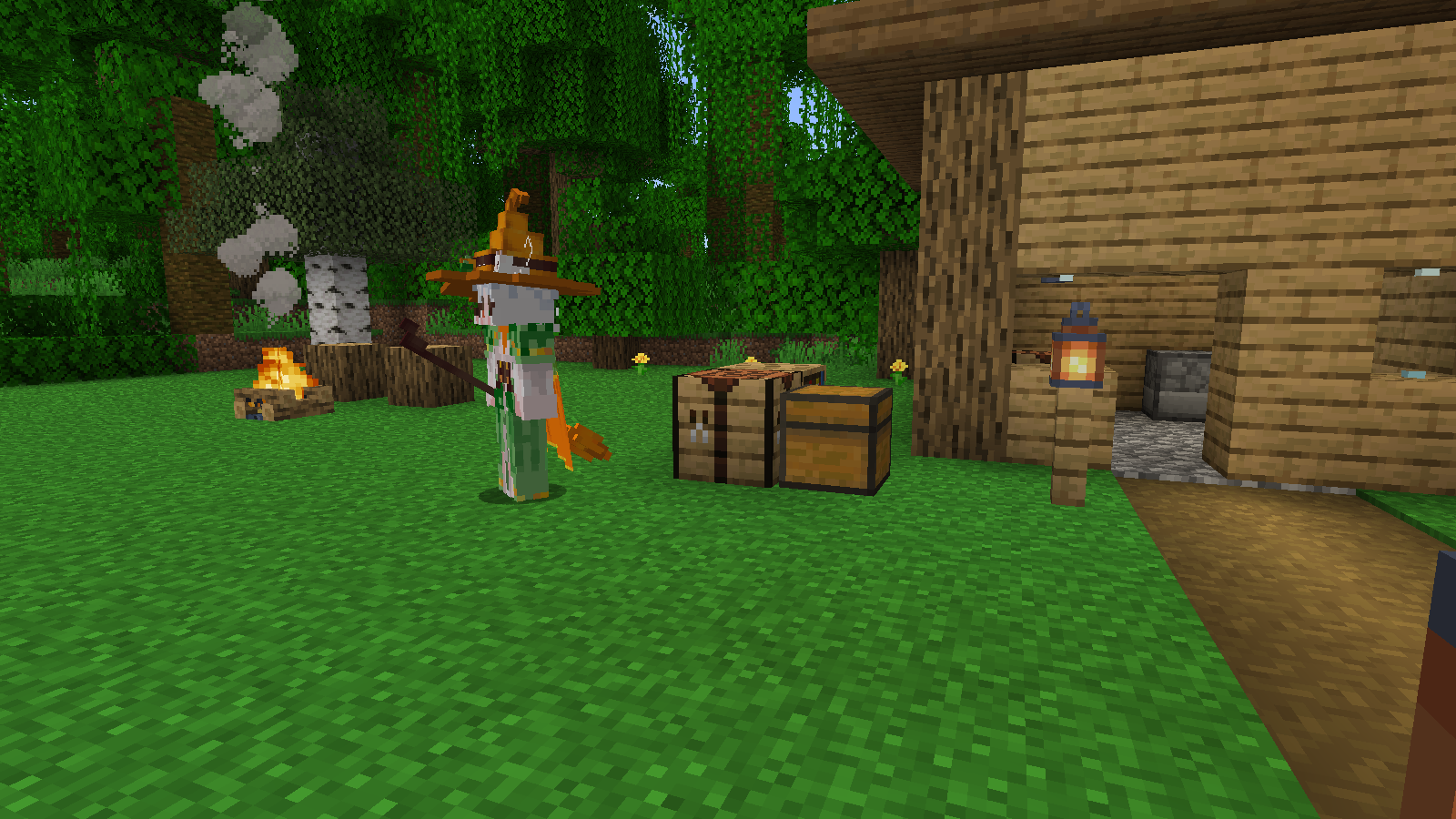
Expand from the Project panel on the left side of IDEA src → main. Find Java first, then resources. The folder path and Java package name must correspond.
Main Documents of Project Witch
src/main/
├─ java/com/malaoshi/simon/
│  ├─ SimonMinecraft.java
│  ├─ SimonMinecraftClient.java
│  └─ witch/
│     ├─ WitchContent.java
│     ├─ WitchCompanionEntity.java
│     ├─ WitchCompanions.java
│     ├─ WitchCompanionState.java
│     └─ client/WitchCompanionRenderer.java
└─ resources/
   ├─ fabric.mod.json
   └─ assets/simon-minecraft/
      ├─ witch/mesh.json
      └─ textures/entity/witch/texture_0.png ... texture_5.png
Right click com.malaoshi.simon → New → Package, create witch;recreated inside client. The first line of the Java file package should be consistent with its location.
SimonMinecraft.MOD_ID is
What is the value of simon-minecraft, and the resources folder is also called assets/simon-minecraft. Spelling, capitalization, and hyphens must be consistent.
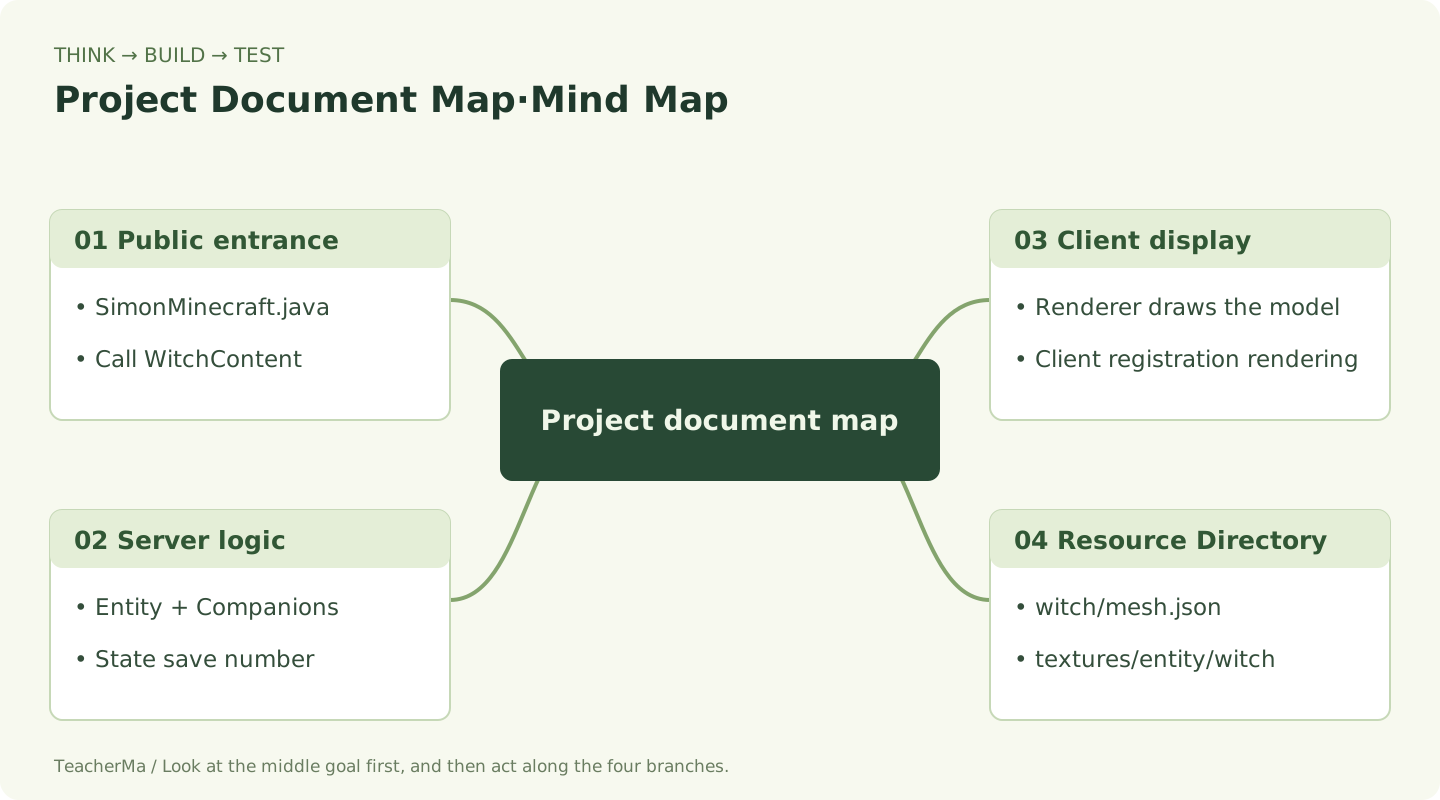
Check the Java package name, resource path and two entries. Once you do that, move on to the next stage.
Registering NPCs: Introducing new companions to the game
Your Goal for This Step:Understand the three registrations of entity types, basic attributes and client-side rendering.
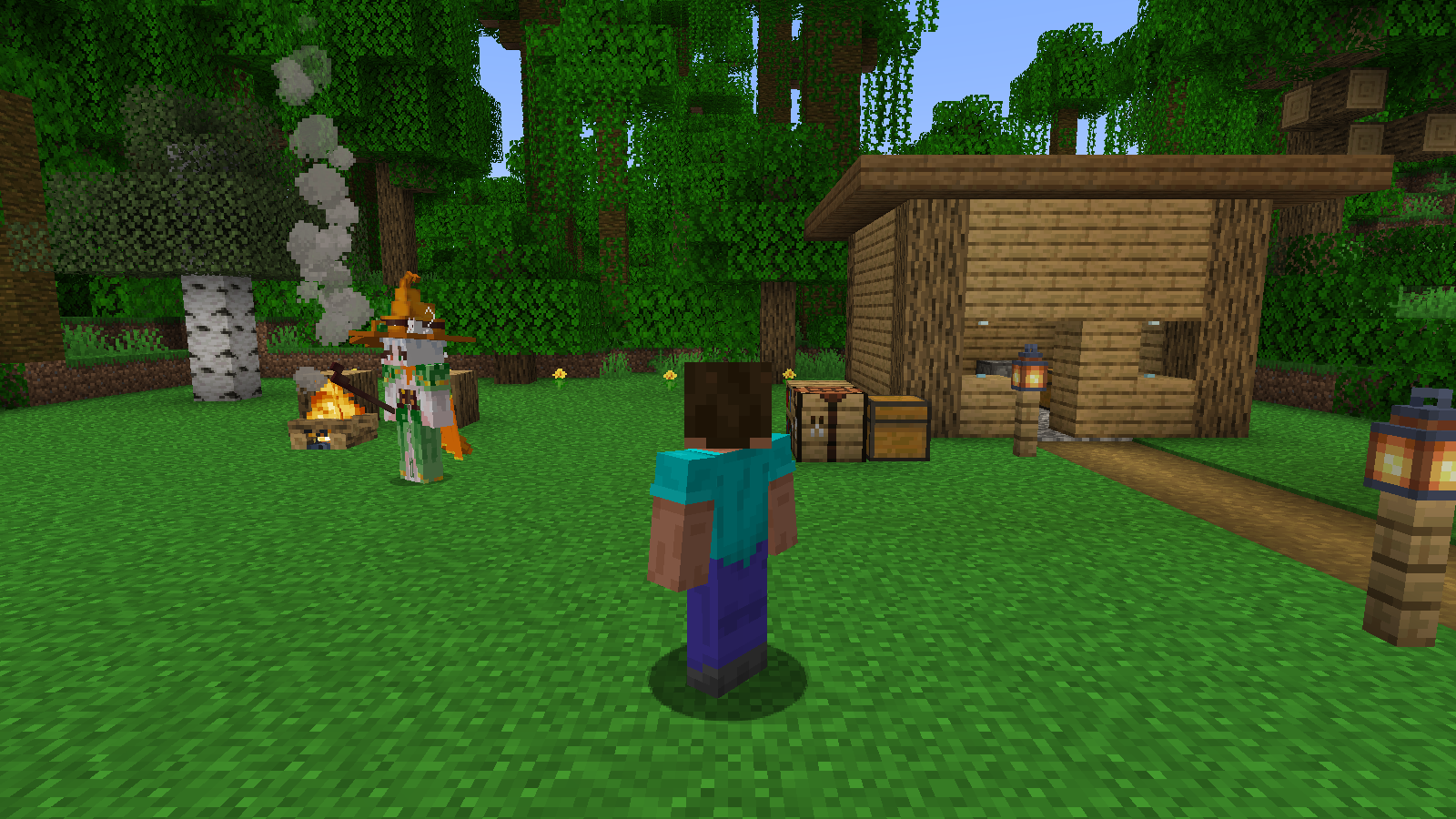
Registration is like going through the admission procedures for new students. The game needs to know her name, body size, and basic attributes; the client also needs to know which renderer to use to draw her.
- Entity type.
WitchContentSign upsimon-minecraft:witch_companion, and set the size of an entity's collision. - Basic attributes.Use
FabricDefaultAttributeRegistryRegisters 40 health, 0.30 walking speed, and 32 blocks to follow the search attributes. - Public entrance.
SimonMinecraft.onInitialize()CallWitchContent.register(). - Client entrance.
SimonMinecraftClientRegister resource loading and entity renderers.
View full file: WitchContent.java
src/main/java/com/malaoshi/simon/witch/WitchContent.java
package com.malaoshi.simon.witch;

import com.malaoshi.simon.SimonMinecraft;
import net.fabricmc.fabric.api.object.builder.v1.entity.FabricDefaultAttributeRegistry;
import net.fabricmc.fabric.api.object.builder.v1.entity.FabricEntityTypeBuilder;
import net.minecraft.entity.*;
import net.minecraft.registry.*;
import net.minecraft.util.Identifier;

public final class WitchContent {
    public static final EntityType<WitchCompanionEntity> WITCH = Registry.register(
        Registries.ENTITY_TYPE, new Identifier(SimonMinecraft.MOD_ID, "witch_companion"),
        FabricEntityTypeBuilder.create(SpawnGroup.CREATURE, WitchCompanionEntity::new)
            .dimensions(EntityDimensions.fixed(0.65f, 1.95f))
            .trackRangeBlocks(80).trackedUpdateRate(2).build());

    public static void register() {
        FabricDefaultAttributeRegistry.register(WITCH, WitchCompanionEntity.attributes());
        WitchCompanions.register();
        SimonMinecraft.LOGGER.info("Witch companion ready: /witch help");
    }
}
The entity behavior is determined on the server, and the appearance is drawn on the client. Both parts also exist in the single-player game.
The height of the collision body is 1.95 blocks, and it can pass through the ordinary two-block high channel. Pointed hats are exterior decoration and may be covered by the ceiling in low-rise rooms.
If the system crashes, first look for the attribute registration; if the code is running but the model cannot be seen, first look for the client rendering registration and resource path.
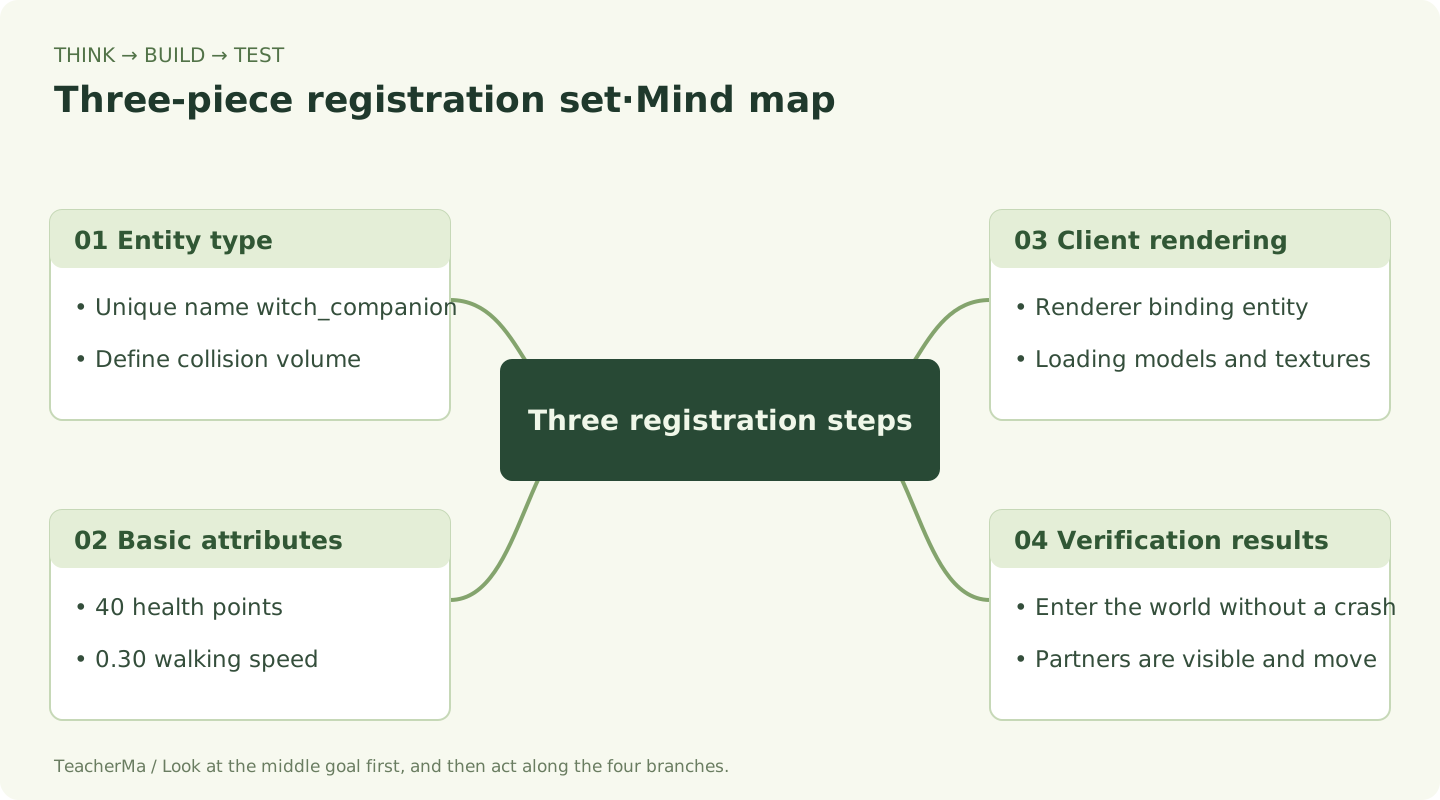
Understand the three registrations of entity types, basic attributes and client-side rendering. Once you do that, move on to the next stage.
Follow on foot: Find the player and start pathfinding
Your Goal for This Step:Move ten spaces and watch your partner catch up and stop nearby.
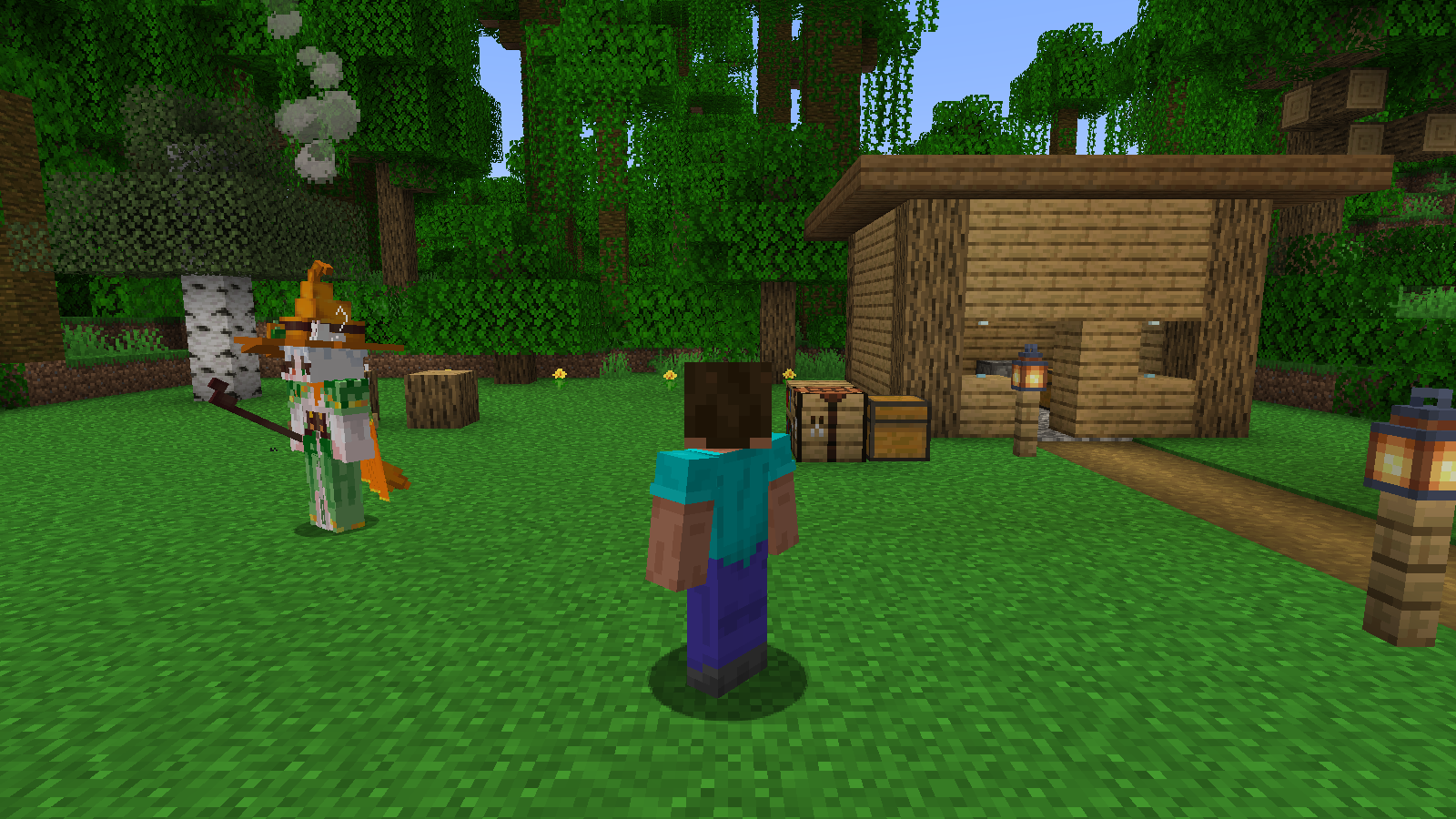
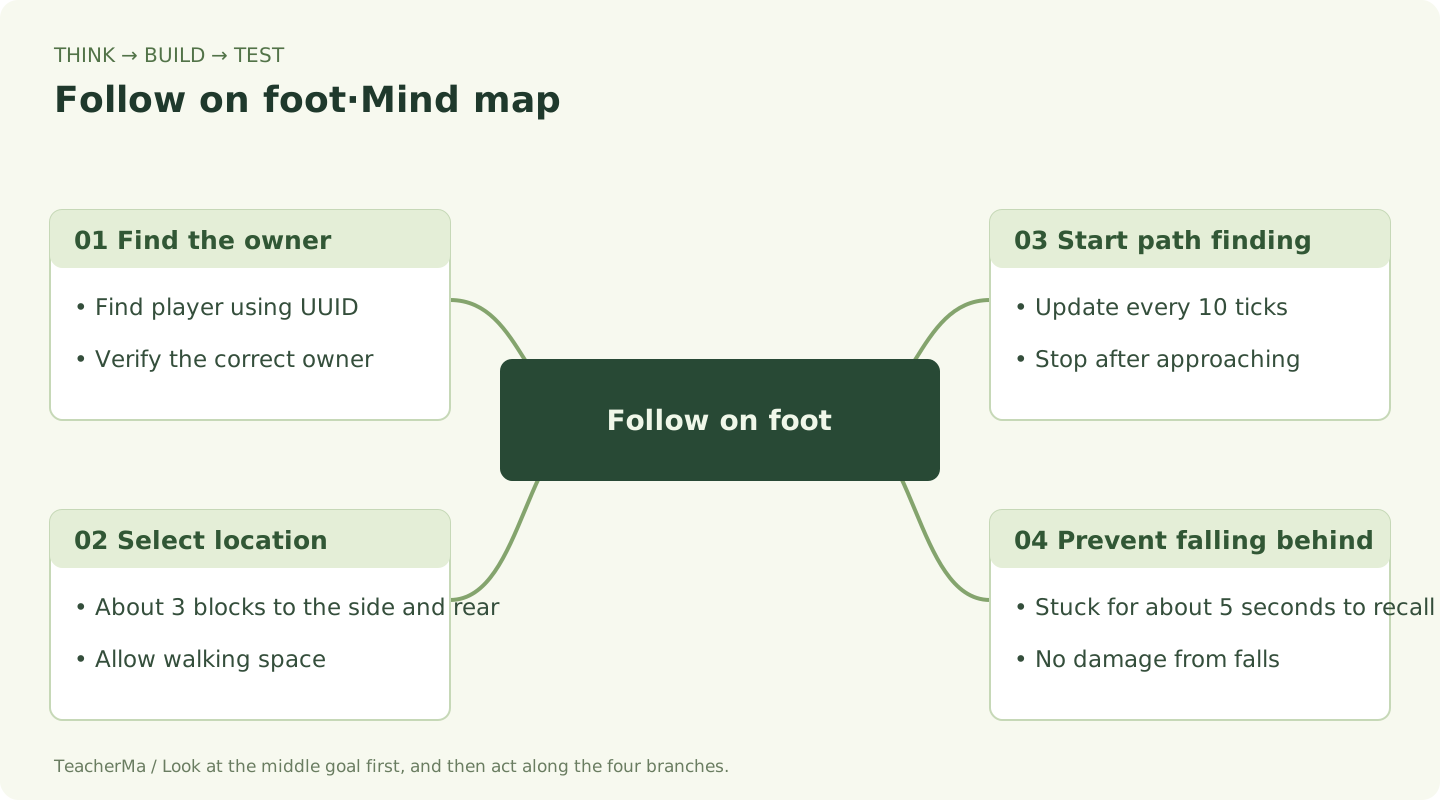
A witch cannot just recognize the nearest person as her master. She saves the player's UUIDAnd with this unique number, find the true owner.
- Input in game
/witch mode walk. - Walk forward about ten spaces, then stop.
- Watch her move behind and to your side, then stop when she gets close.
- Place a few blocks on the path and see if she can get around them. When blocked for about five seconds, she will attempt to safely recall near you.
Pathfinding core in WitchCompanionEntity.java
navigation.startMovingTo(
    destination.x, destination.y, destination.z, 1.1
);
destination is the destination, the final 1.1 is the pathfinding speed multiplier. The destination is usually about three blocks away from the player. The location is updated every ten game ticks and pathfinding stops when approaching.
At normal speed, there are approximately 20 game ticks per second. It checks every 10 ticks, about every half a second; when the machine is stuck, the waiting time in reality will be longer.
View full file: WitchCompanionEntity.java
src/main/java/com/malaoshi/simon/witch/WitchCompanionEntity.java
package com.malaoshi.simon.witch;

import net.minecraft.entity.*;
import net.minecraft.entity.attribute.*;
import net.minecraft.entity.data.*;
import net.minecraft.entity.mob.PathAwareEntity;
import net.minecraft.entity.mob.ZombieEntity;
import net.minecraft.entity.player.PlayerEntity;
import net.minecraft.entity.ai.goal.SwimGoal;
import net.minecraft.nbt.NbtCompound;
import net.minecraft.particle.ParticleTypes;
import net.minecraft.server.network.ServerPlayerEntity;
import net.minecraft.server.world.ServerWorld;
import net.minecraft.sound.SoundEvents;
import net.minecraft.text.Text;
import net.minecraft.util.*;
import net.minecraft.util.math.*;
import net.minecraft.world.World;
import java.util.*;

public class WitchCompanionEntity extends PathAwareEntity {
    public static final double GUARD_RADIUS = 16.0;
    public static final float MAGIC_DAMAGE = 6.0f;
    public static final int ATTACK_INTERVAL = 20; // 20 游戏刻约等于 1 秒
    private static final TrackedData<Boolean> FLYING = DataTracker.registerData(WitchCompanionEntity.class, TrackedDataHandlerRegistry.BOOLEAN);
    private static final TrackedData<Integer> MODE = DataTracker.registerData(WitchCompanionEntity.class, TrackedDataHandlerRegistry.INTEGER);
    private UUID ownerUuid;
    private int attackCooldown;
    private int stuckTicks;
    private Vec3d lastPosition = Vec3d.ZERO;

    public WitchCompanionEntity(EntityType<? extends PathAwareEntity> type, World world) {
        super(type, world);
        setPersistent(); setCustomName(Text.literal("扫帚女巫 · 守护伙伴"));
        setCustomNameVisible(true);
    }
    public static DefaultAttributeContainer.Builder attributes() {
        return createMobAttributes().add(EntityAttributes.GENERIC_MAX_HEALTH, 40)
            .add(EntityAttributes.GENERIC_MOVEMENT_SPEED, 0.30)
            .add(EntityAttributes.GENERIC_FOLLOW_RANGE, 32);
    }
    @Override protected void initGoals() { goalSelector.add(0, new SwimGoal(this)); }
    @Override protected void initDataTracker() {
        super.initDataTracker(); dataTracker.startTracking(FLYING, false); dataTracker.startTracking(MODE, 0);
    }
    public UUID getOwnerUuid() { return ownerUuid; }
    public void setOwnerUuid(UUID owner) { ownerUuid = owner; }
    public boolean isBroomFlying() { return dataTracker.get(FLYING); }
    public int getMode() { return dataTracker.get(MODE); }
    public void setMode(int mode) { dataTracker.set(MODE, MathHelper.clamp(mode, 0, 2)); }
    public static String modeName(int mode) { return new String[]{"自动陪伴", "步行跟随", "扫帚飞行"}[MathHelper.clamp(mode, 0, 2)]; }

    /** 找有地板、无液体、身体放得下的位置;若没有就悬停,避免卡进墙。 */
    public void recall(PlayerEntity owner) {
        navigation.stop(); setVelocity(Vec3d.ZERO);
        BlockPos center = owner.getBlockPos();
        for (int dy = 1; dy >= -2; dy--) for (int dx = -3; dx <= 3; dx++) for (int dz = -3; dz <= 3; dz++) {
            if (Math.abs(dx) + Math.abs(dz) < 2) continue;
            BlockPos feet = center.add(dx, dy, dz);
            if (!getWorld().getBlockState(feet.down()).isSolidBlock(getWorld(), feet.down())) continue;
            Vec3d pos = Vec3d.ofBottomCenter(feet);
            Box box = getDimensions(getPose()).getBoxAt(pos);
            if (getWorld().isSpaceEmpty(this, box) && !getWorld().containsFluid(box)) {
                refreshPositionAndAngles(pos.x, pos.y, pos.z, owner.getYaw(), 0);
                fallDistance = 0; stuckTicks = 0; return;
            }
        }
        Box box = getDimensions(getPose()).getBoxAt(owner.getPos());
        if (getWorld().isSpaceEmpty(this, box)) refreshPositionAndAngles(owner.getX(), owner.getY(), owner.getZ(), owner.getYaw(), 0);
        dataTracker.set(FLYING, true); setNoGravity(true); fallDistance = 0;
    }

    @Override public void tick() {
        super.tick();
        if (!(getWorld() instanceof ServerWorld world) || ownerUuid == null) return;
        var state = WitchCompanionState.get(world.getServer());
        // 被卸载的旧伙伴重新加载时退出,避免远距离传送后出现重复伙伴。
        if (state.disabled.contains(ownerUuid) || !getUuid().equals(state.companions.get(ownerUuid))) { discard(); return; }
        ServerPlayerEntity owner = world.getServer().getPlayerManager().getPlayer(ownerUuid);
        if (owner == null || owner.getWorld() != world || !owner.isAlive() || owner.isSpectator()) {
            navigation.stop(); setVelocity(Vec3d.ZERO); setTarget(null); return;
        }
        if (squaredDistanceTo(owner) > 28 * 28) recall(owner);
        if (attackCooldown > 0) attackCooldown--;
        if (age % 10 == 0) {
            ZombieEntity nearest = null; double best = Double.MAX_VALUE;
            if (world.isNight()) for (ZombieEntity zombie : world.getEntitiesByClass(ZombieEntity.class,
                owner.getBoundingBox().expand(GUARD_RADIUS), z -> z.isAlive() && z.squaredDistanceTo(owner) <= GUARD_RADIUS * GUARD_RADIUS)) {
                double d = squaredDistanceTo(zombie);
                if (d < best) { nearest = zombie; best = d; }
            }
            setTarget(nearest);
        }
        LivingEntity enemy = getTarget();
        if (enemy != null && (!world.isNight() || !enemy.isAlive() || enemy.squaredDistanceTo(owner) > GUARD_RADIUS * GUARD_RADIUS)) {
            setTarget(null); enemy = null;
        }
        boolean fly = getMode() == 2 || (getMode() == 0 && (age / 400) % 2 == 1);
        dataTracker.set(FLYING, fly); setNoGravity(fly); fallDistance = 0;
        Vec3d destination;
        if (enemy != null) {
            destination = enemy.getPos().add(0, fly ? 2.5 : 0, 0);
            getLookControl().lookAt(enemy, 30, 30);
            if (squaredDistanceTo(enemy) <= 12 * 12 && canSee(enemy) && attackCooldown == 0) {
                attackCooldown = ATTACK_INTERVAL;
                enemy.damage(getDamageSources().indirectMagic(this, this), MAGIC_DAMAGE);
                Vec3d from = getPos().add(0, 1.5, 0), to = enemy.getPos().add(0, 1, 0);
                for (int i = 0; i <= 16; i++) {
                    Vec3d p = from.lerp(to, i / 16.0);
                    world.spawnParticles(ParticleTypes.WITCH, p.x, p.y, p.z, 1, 0.03, 0.03, 0.03, 0.01);
                }
                playSound(SoundEvents.ENTITY_EVOKER_CAST_SPELL, 0.55f, 1.3f);
            }
        } else {
            double angle = fly ? age * 0.018 : Math.toRadians(owner.getYaw() + 110);
            destination = owner.getPos().add(Math.cos(angle) * 3, fly ? 2.5 + Math.sin(age * 0.08) * 0.25 : 0, Math.sin(angle) * 3);
            getLookControl().lookAt(owner, 30, 30);
        }
        if (fly) {
            navigation.stop();
            Vec3d delta = destination.subtract(getPos());
            Vec3d desired = delta.length() < 0.3 ? Vec3d.ZERO : delta.normalize().multiply(Math.min(0.32, delta.length() * 0.15));
            if (horizontalCollision) desired = desired.add(0, 0.18, 0);
            setVelocity(getVelocity().lerp(desired, 0.25)); velocityDirty = true;
            if (desired.horizontalLengthSquared() > 0.002) {
                setYaw((float)(Math.toDegrees(Math.atan2(desired.z, desired.x)) - 90)); bodyYaw = getYaw();
            }
            if (age % 6 == 0) world.spawnParticles(ParticleTypes.END_ROD, getX(), getY() + 0.2, getZ(), 1, 0.1, 0.05, 0.1, 0);
        } else if (age % 10 == 0) {
            if (getPos().squaredDistanceTo(destination) > 2.5 && (enemy == null || squaredDistanceTo(enemy) > 7 * 7 || !canSee(enemy)))
                navigation.startMovingTo(destination.x, destination.y, destination.z, 1.1);
            else navigation.stop();
        }
        if (age % 20 == 0) {
            boolean wantsMove = getPos().squaredDistanceTo(destination) > 16;
            stuckTicks = wantsMove && getPos().squaredDistanceTo(lastPosition) < 0.04 ? stuckTicks + 20 : 0;
            lastPosition = getPos();
            if (stuckTicks >= 100) recall(owner);
            if (getHealth() < getMaxHealth()) heal(1);
        }
    }

    @Override public void travel(Vec3d input) {
        if (isBroomFlying()) { move(MovementType.SELF, getVelocity()); setVelocity(getVelocity().multiply(0.95)); }
        else super.travel(input);
    }
    @Override public boolean handleFallDamage(float distance, float multiplier, net.minecraft.entity.damage.DamageSource source) { return false; }
    @Override protected ActionResult interactMob(PlayerEntity player, Hand hand) {
        if (!player.getUuid().equals(ownerUuid)) return ActionResult.PASS;
        if (player instanceof ServerPlayerEntity serverPlayer) {
            WitchCompanions.setMode(serverPlayer, (getMode() + 1) % 3);
            player.sendMessage(Text.literal("伙伴模式:" + modeName(getMode())), true);
        }
        return ActionResult.success(getWorld().isClient);
    }
    @Override public void writeCustomDataToNbt(NbtCompound nbt) {
        super.writeCustomDataToNbt(nbt);
        if (ownerUuid != null) nbt.putUuid("WitchOwner", ownerUuid);
        nbt.putInt("WitchMode", getMode());
    }
    @Override public void readCustomDataFromNbt(NbtCompound nbt) {
        super.readCustomDataFromNbt(nbt);
        if (nbt.containsUuid("WitchOwner")) ownerUuid = nbt.getUuid("WitchOwner");
        setMode(nbt.getInt("WitchMode"));
    }
}
Move ten spaces and watch your partner catch up and stop nearby. Once you do that, move on to the next stage.
Broom flight: let the position change slowly
Your Goal for This Step:Observe the horizontal broom, bent legs and circling flight.
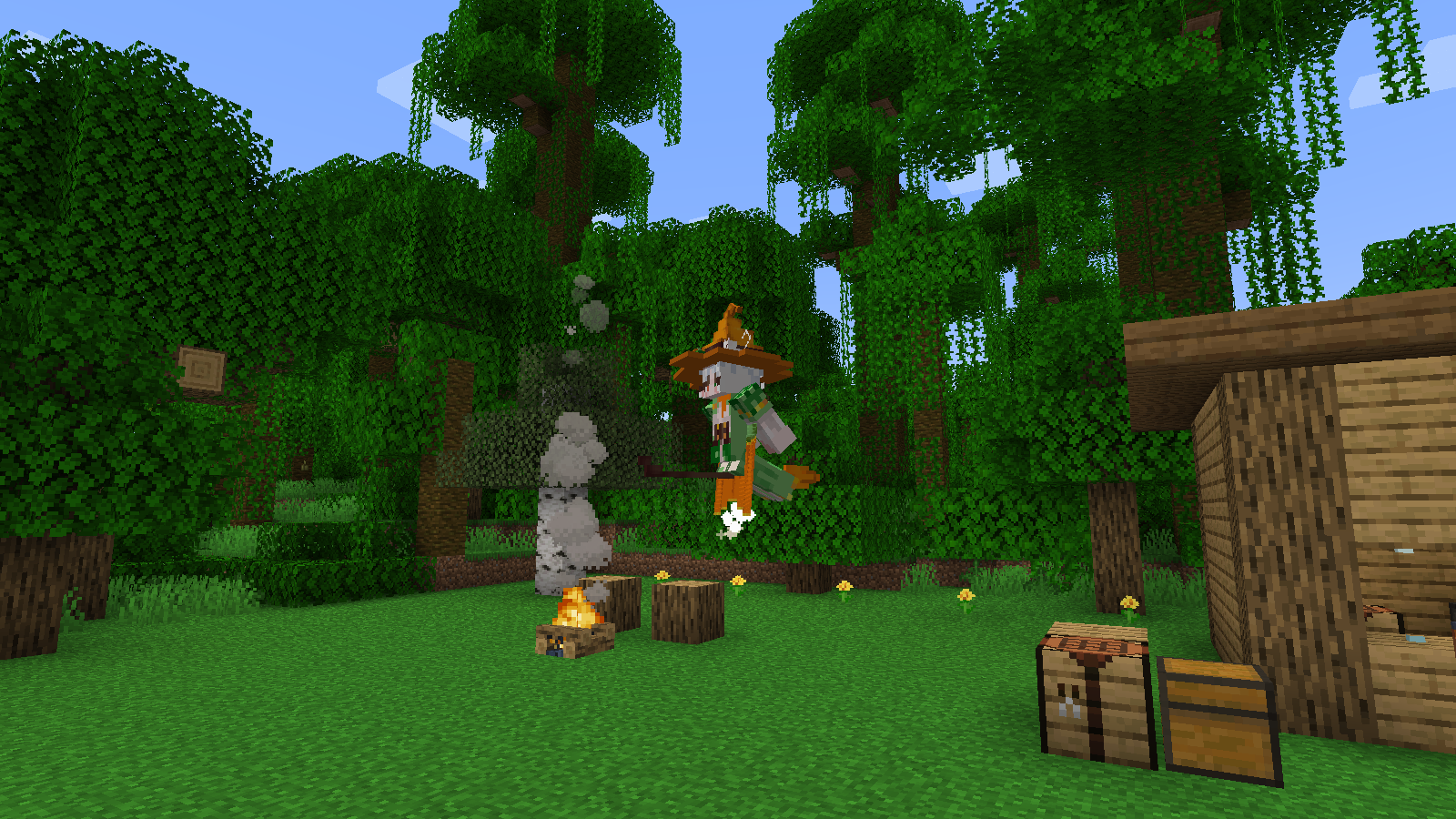
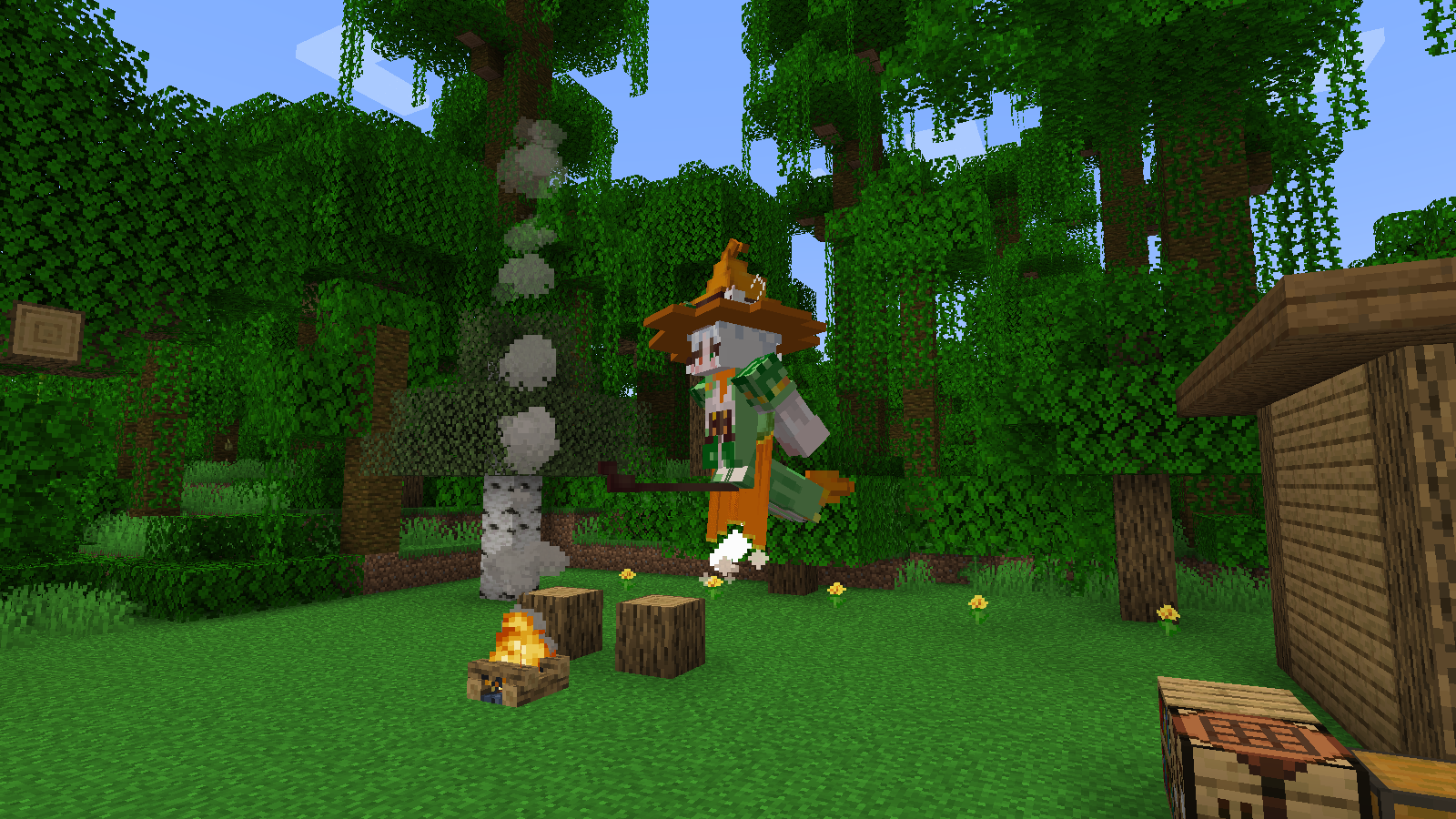
Flying Has Two Parts:Entities really move through the airAt the same timeThe model is really changed into the posture of riding a broom. As long as the appearance changes, the witch will still stand on the ground.
- Enter
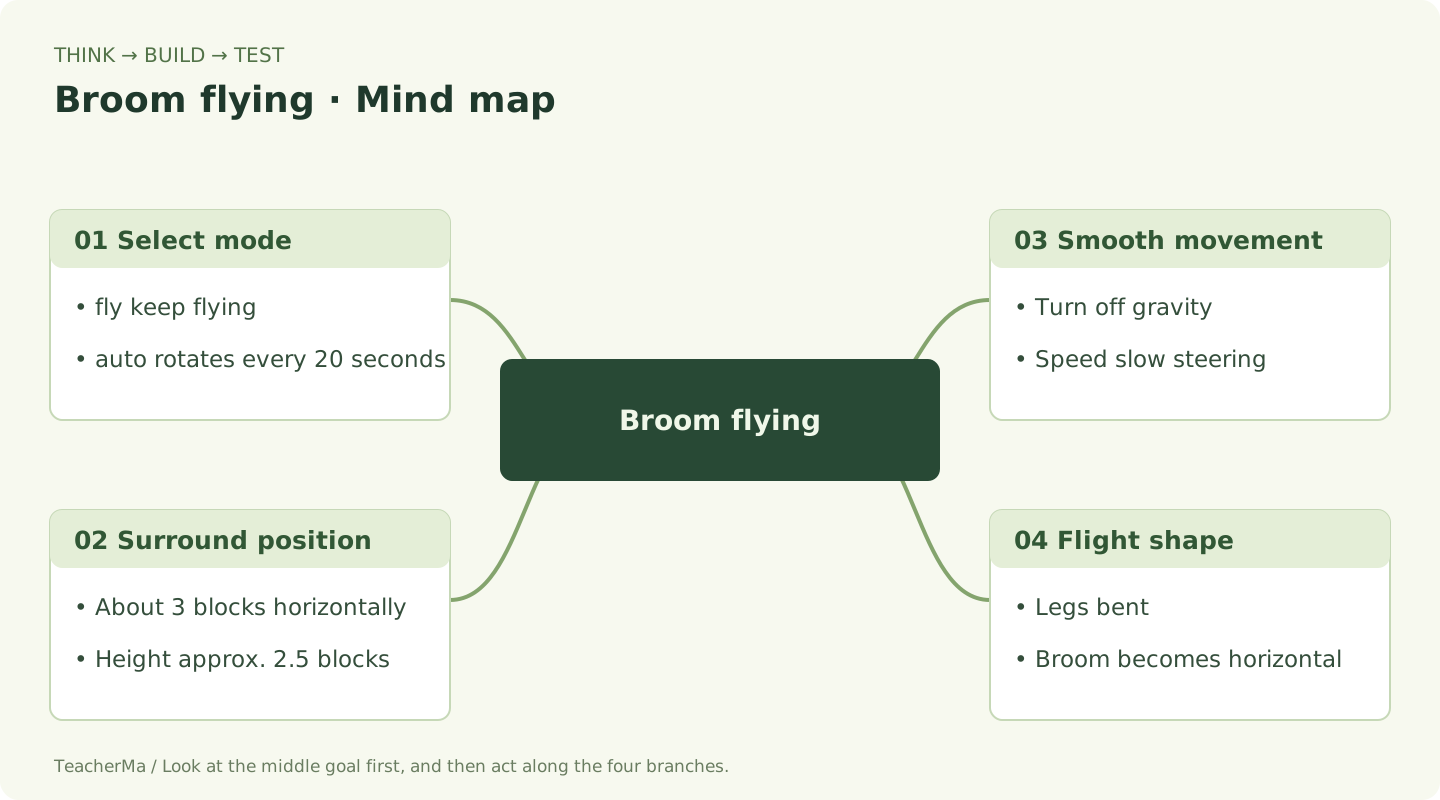
/witch mode flyWait two or three seconds. - Look up and observe: the witch flies in a circle of about three blocks around the player, and the target height is about 2.5 blocks above the player's feet.
- Look at the broom becoming horizontal with legs and arms bent.
- Walk toward a tree and observe her movement. She collides with obstacles rather than passing through walls, tries to rise over obstructions, and attempts recall if stuck.
Core Ideas Behind Flight Position and Velocity
double angle = age * 0.018;
Vec3d destination = owner.getPos().add(
    Math.cos(angle) * 3,
    2.5 + Math.sin(age * 0.08) * 0.25,
    Math.sin(angle) * 3
);
setNoGravity(true);
setVelocity(getVelocity().lerp(desired, 0.25));
cos and sin work together to trace a circle;2.5 is the target height;lerp gradually moves the velocity toward the new target for smoother turns. The code above illustrates the idea; the complete variables and branches are in the entity file.
Observe the horizontal broom, bent legs and circling flight. Once this works, move to the next stage.
Night Guard: Only attack nearby zombies
Your Goal for This Step:Does not actively attack during the day, emits magic at night, and friendly animals are not injured.
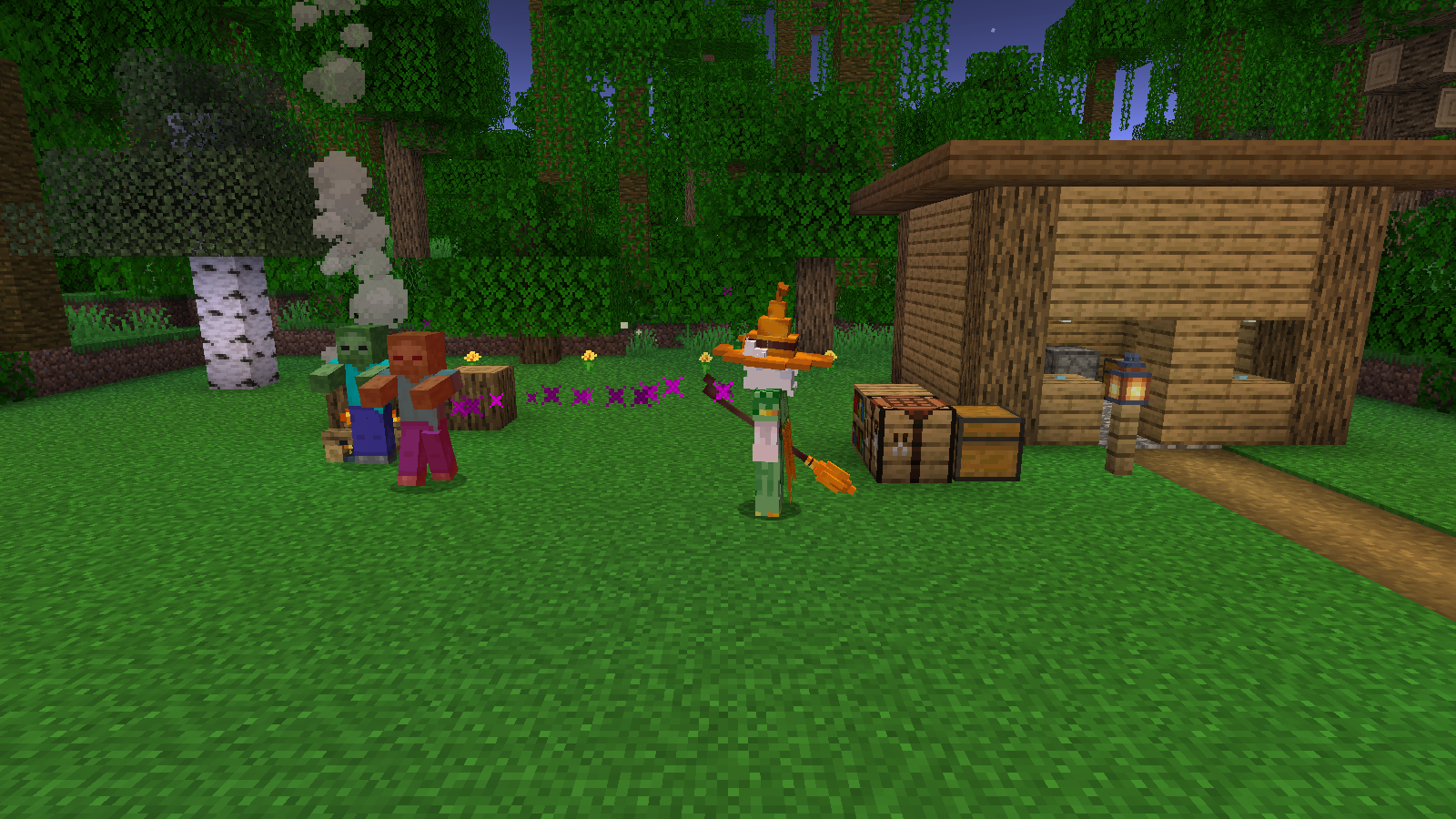
There must be clear boundaries to protect players. The witch only looks for witches within 16 blocks of the player.Zombie familyShe does not use pigs, villagers or players as objects of magic.
- In the newly created creative mode test world, confirm that the difficulty is normal and enable cheating.
- First enter the following daytime test command. The zombies wear helmets to avoid being caught on fire by the sun and affecting observation.
- Wait for five seconds and observe that the witch does not actively cast spells. Then change the time to night.
- The Witch emits purple magic when within 12 tiles and can see a zombie, up to once every 20 ticks, dealing 6 points of damage.
- Summon another pig and make sure the magic doesn't lock onto it. After the test is completed, it will be changed back to daytime.
Enter one by one in game chat
/difficulty normal
/time set day
/summon minecraft:zombie ~4 ~ ~ {NoAI:1b,ArmorItems:[{},{},{},{id:"minecraft:netherite_helmet",Count:1b}]}
/time set night
/summon minecraft:pig ~2 ~ ~
/time set day
Conditions that must be met simultaneously before casting (excerpt of ideas)
world.isNight()
&& enemy.isAlive()
&& squaredDistanceTo(enemy) <= 12 * 12
&& canSee(enemy)
&& attackCooldown == 0
Cooldown is like an hourglass: after casting a spell, set the hourglass to 20 and decrease it by one every tick until it reaches zero before you are allowed to cast the spell again. Line of sight checks prevent damage from being done through solid walls.
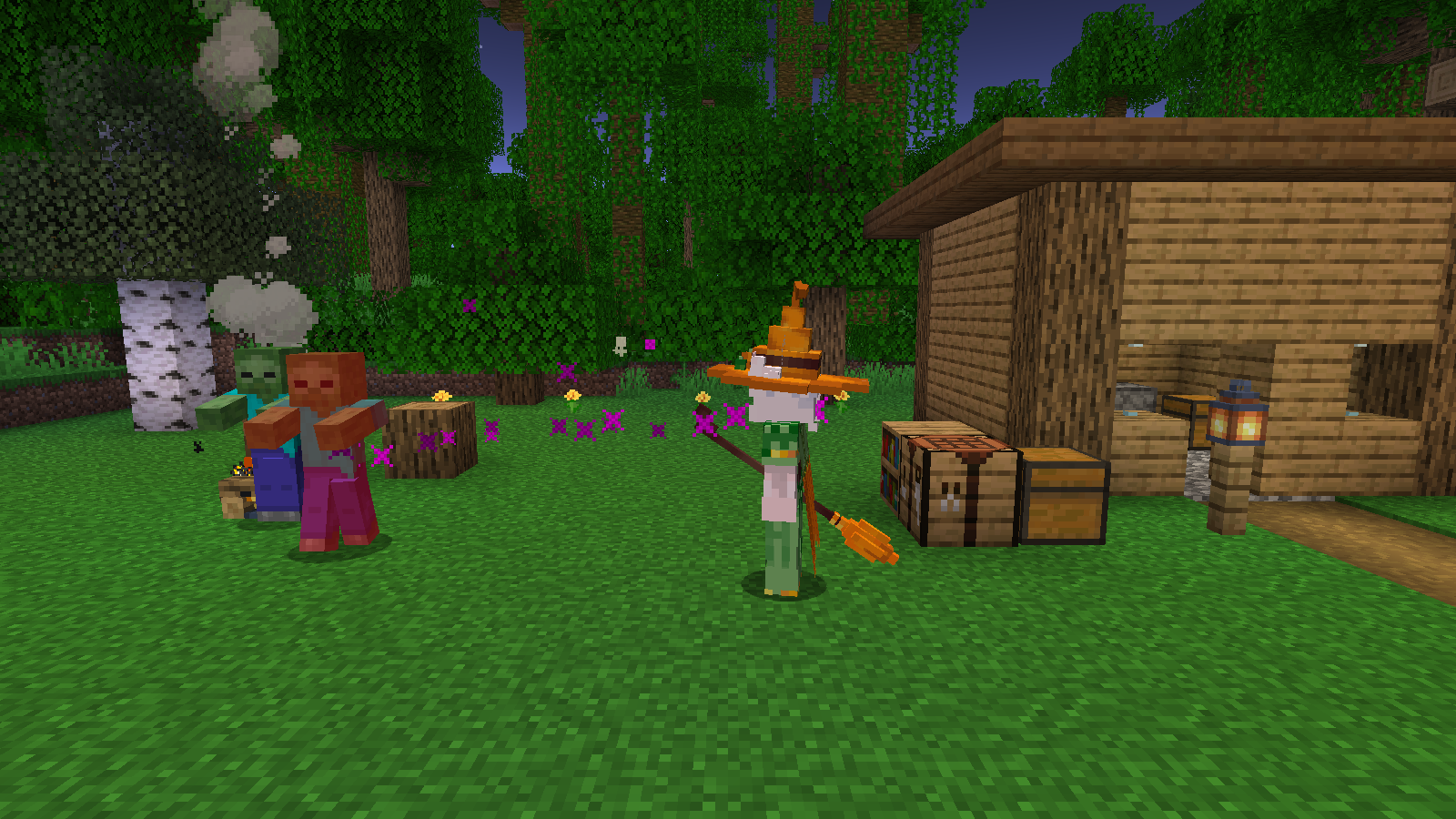
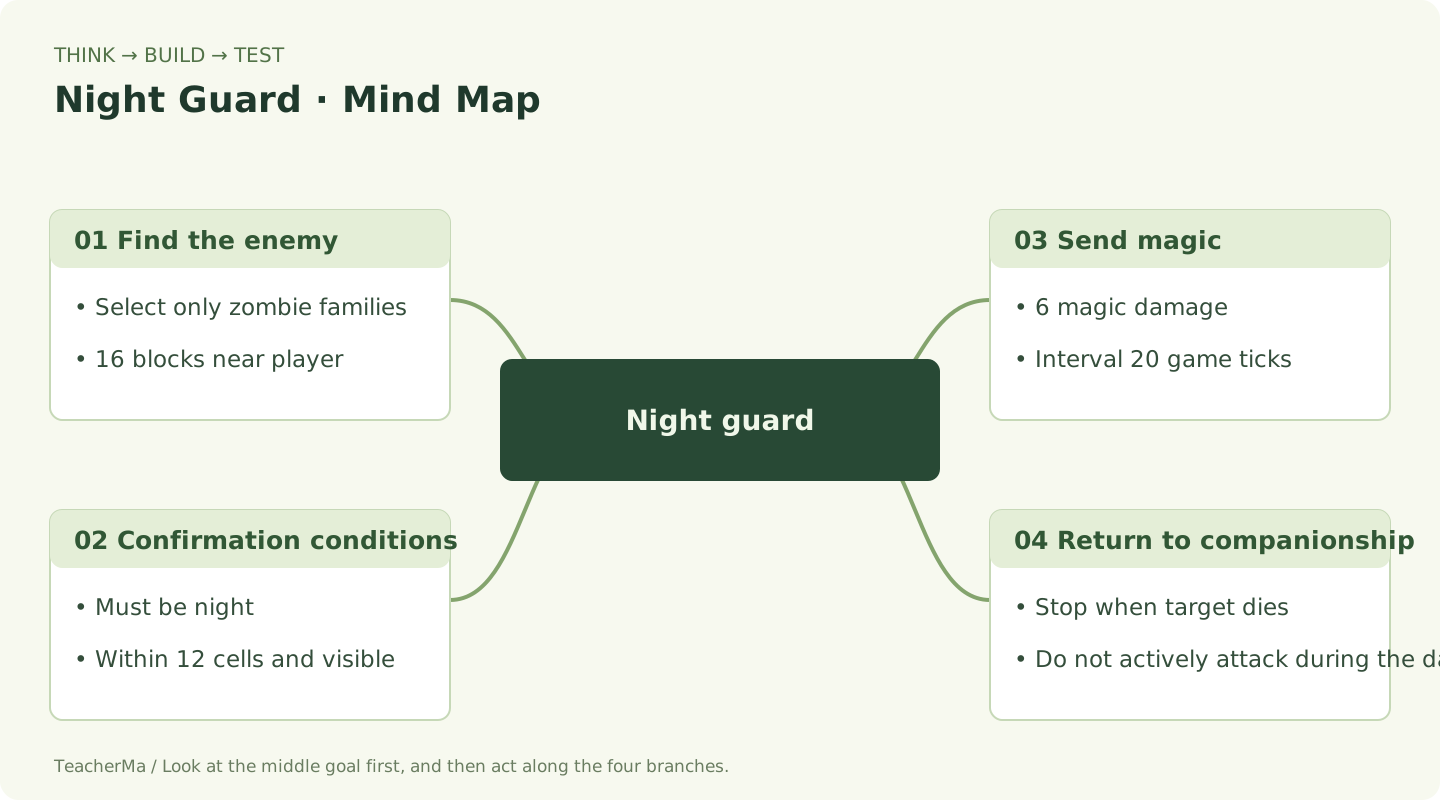
Does not actively attack during the day, emits magic at night, and friendly animals are not injured. Once you do that, move on to the next stage.
Save the relationship: I can follow you even if you change the world
Your Goal for This Step:Keep the mode after rejoining and maintain one companion across dimensions.
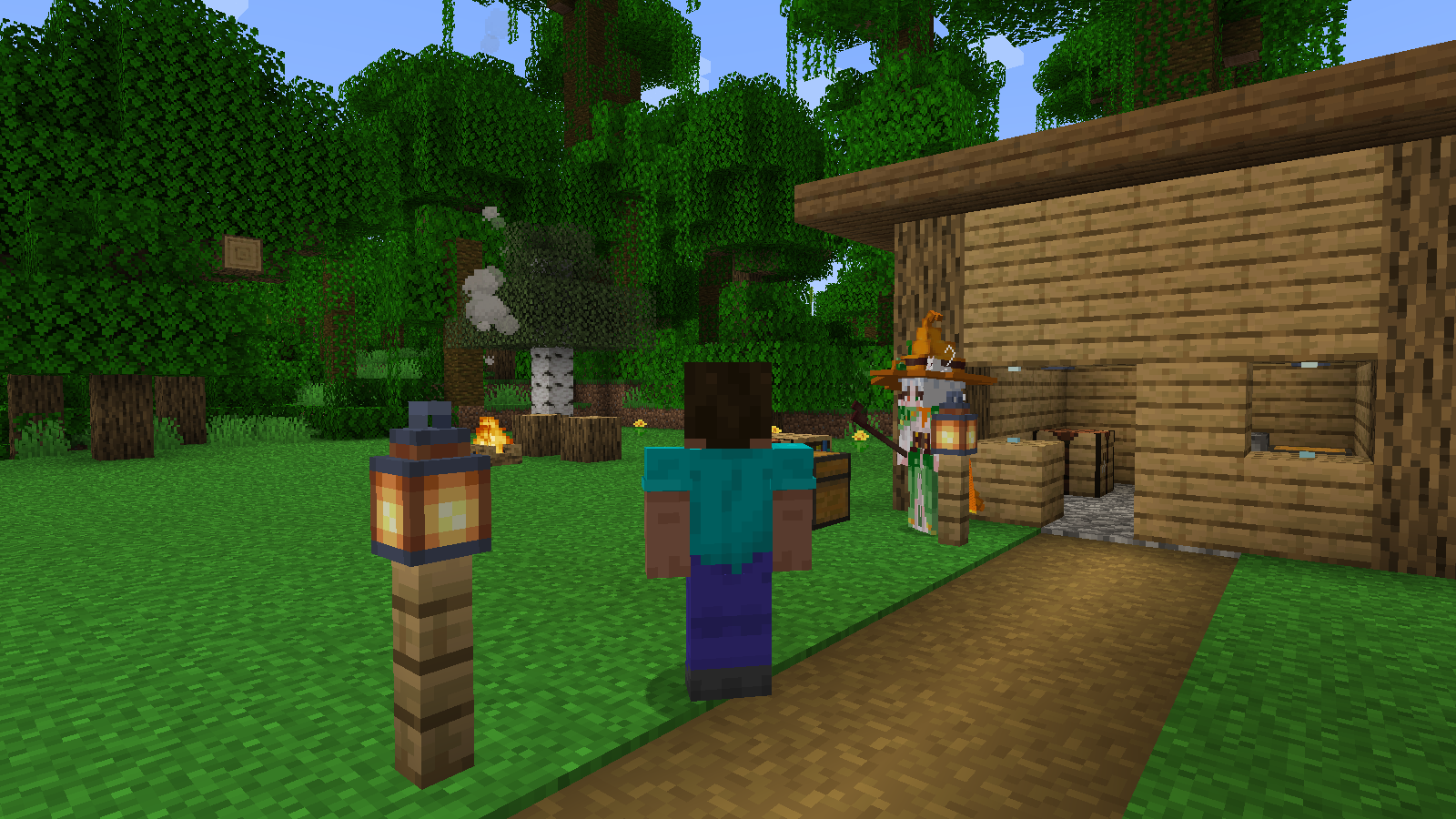
If you only put the master number in a temporary variable, it will be forgotten after the game is closed.NBT Is the format of game save data;PersistentState It is a small notepad that is kept with the world.
- Physical small notepad
WitchOwnerSave owner UUID;WitchModeSave Auto, Walk or Fly.- The little notepad of the world
- Records each player's companion and whether the companion is disabled. It is saved in the world's
simon_witch_companionsin the data. - Across Dimensions
- It is found that the master has gone to another dimension, the old partner exits, and the new partner is regenerated using the original model.
- Old partner reload
- World records will check partner UUIDs; old partners that are no longer part of the current record will exit to avoid having two partners.
Check for online players every second. Partners will automatically regenerate after death; cross-dimensional reconstruction will restore health and preserve mode. input /witch remove , the closed state will be saved; enter /witch summon Can be reopened.
View full file: WitchCompanionState.java
src/main/java/com/malaoshi/simon/witch/WitchCompanionState.java
package com.malaoshi.simon.witch;

import net.minecraft.nbt.NbtCompound;
import net.minecraft.nbt.NbtList;
import net.minecraft.server.MinecraftServer;
import net.minecraft.world.PersistentState;
import java.util.*;

/** 每个玩家只保留一个伙伴编号;关闭和模式选择也会随世界保存。 */
public final class WitchCompanionState extends PersistentState {
    public final Map<UUID, UUID> companions = new HashMap<>();
    public final Map<UUID, Integer> modes = new HashMap<>();
    public final Set<UUID> disabled = new HashSet<>();

    public static WitchCompanionState get(MinecraftServer server) {
        return server.getOverworld().getPersistentStateManager().getOrCreate(
            WitchCompanionState::read, WitchCompanionState::new, "simon_witch_companions");
    }

    private static WitchCompanionState read(NbtCompound nbt) {
        WitchCompanionState state = new WitchCompanionState();
        NbtList list = nbt.getList("Players", 10);
        for (int i = 0; i < list.size(); i++) {
            NbtCompound row = list.getCompound(i);
            if (!row.containsUuid("Owner")) continue;
            UUID owner = row.getUuid("Owner");
            if (row.containsUuid("Companion")) state.companions.put(owner, row.getUuid("Companion"));
            state.modes.put(owner, Math.max(0, Math.min(2, row.getInt("Mode"))));
            if (row.getBoolean("Disabled")) state.disabled.add(owner);
        }
        return state;
    }

    @Override public NbtCompound writeNbt(NbtCompound nbt) {
        NbtList list = new NbtList();
        Set<UUID> owners = new HashSet<>(companions.keySet());
        owners.addAll(disabled); owners.addAll(modes.keySet());
        for (UUID owner : owners) {
            NbtCompound row = new NbtCompound();
            row.putUuid("Owner", owner);
            if (companions.containsKey(owner)) row.putUuid("Companion", companions.get(owner));
            row.putInt("Mode", modes.getOrDefault(owner, 0));
            row.putBoolean("Disabled", disabled.contains(owner));
            list.add(row);
        }
        nbt.put("Players", list);
        return nbt;
    }
}
View full file: WitchCompanions.java
src/main/java/com/malaoshi/simon/witch/WitchCompanions.java
package com.malaoshi.simon.witch;

import net.fabricmc.fabric.api.command.v2.CommandRegistrationCallback;
import net.fabricmc.fabric.api.event.lifecycle.v1.ServerTickEvents;
import net.minecraft.entity.Entity;
import net.minecraft.server.MinecraftServer;
import net.minecraft.server.network.ServerPlayerEntity;
import net.minecraft.server.world.ServerWorld;
import net.minecraft.text.Text;
import java.util.UUID;
import static net.minecraft.server.command.CommandManager.literal;

/** 服务器负责生成、跨维度重建和指令;客户端只负责显示。 */
public final class WitchCompanions {
    public static void register() {
        ServerTickEvents.END_SERVER_TICK.register(server -> {
            if (server.getTicks() % 20 != 0) return;
            for (ServerPlayerEntity player : server.getPlayerManager().getPlayerList()) {
                if (player.isAlive() && !player.isSpectator()) ensure(player);
            }
        });
        CommandRegistrationCallback.EVENT.register((dispatcher, registry, environment) -> {
            var root = literal("witch").requires(source -> source.getEntity() instanceof ServerPlayerEntity)
                .executes(ctx -> help(ctx.getSource().getPlayerOrThrow()));
            root.then(literal("help").executes(ctx -> help(ctx.getSource().getPlayerOrThrow())));
            root.then(literal("summon").executes(ctx -> {
                var player = ctx.getSource().getPlayerOrThrow();
                var state = WitchCompanionState.get(player.getServer());
                state.disabled.remove(player.getUuid()); state.markDirty();
                ensure(player); tell(player, "女巫伙伴已开启。右键她切换模式。"); return 1;
            }));
            root.then(literal("recall").executes(ctx -> {
                var player = ctx.getSource().getPlayerOrThrow();
                var witch = ensure(player);
                if (witch != null) witch.recall(player);
                tell(player, witch == null ? "伙伴已关闭,请先输入 /witch summon。" : "伙伴回到你身边了。"); return 1;
            }));
            root.then(literal("remove").executes(ctx -> {
                var player = ctx.getSource().getPlayerOrThrow();
                var state = WitchCompanionState.get(player.getServer());
                state.disabled.add(player.getUuid());
                var witch = find(player.getServer(), state.companions.remove(player.getUuid()));
                if (witch != null) witch.discard();
                state.markDirty(); tell(player, "伙伴已关闭;/witch summon 可以重新开启。"); return 1;
            }));
            var mode = literal("mode");
            String[] names = {"auto", "walk", "fly"};
            for (int i = 0; i < names.length; i++) {
                final int selected = i;
                mode.then(literal(names[i]).executes(ctx -> {
                    var player = ctx.getSource().getPlayerOrThrow();
                    setMode(player, selected);
                    tell(player, "伙伴模式:" + WitchCompanionEntity.modeName(selected)); return 1;
                }));
            }
            root.then(mode); dispatcher.register(root);
        });
    }

    private static int help(ServerPlayerEntity player) {
        tell(player, "女巫伙伴:/witch mode auto|walk|fly;/witch recall;/witch remove;/witch summon。夜晚会攻击你附近的僵尸。");
        return 1;
    }
    private static void tell(ServerPlayerEntity player, String message) {
        player.sendMessage(Text.literal(message), false);
    }
    public static void setMode(ServerPlayerEntity player, int mode) {
        var state = WitchCompanionState.get(player.getServer());
        state.modes.put(player.getUuid(), mode); state.markDirty();
        var witch = ensure(player);
        if (witch != null) witch.setMode(mode);
    }
    public static WitchCompanionEntity find(MinecraftServer server, UUID uuid) {
        if (uuid == null) return null;
        for (ServerWorld world : server.getWorlds()) {
            Entity entity = world.getEntity(uuid);
            if (entity instanceof WitchCompanionEntity witch && witch.isAlive()) return witch;
        }
        return null;
    }
    public static WitchCompanionEntity ensure(ServerPlayerEntity player) {
        var state = WitchCompanionState.get(player.getServer());
        UUID owner = player.getUuid();
        if (state.disabled.contains(owner)) return null;
        var witch = find(player.getServer(), state.companions.get(owner));
        if (witch != null && witch.getWorld() != player.getWorld()) {
            witch.discard(); witch = null;
        }
        if (witch == null) {
            witch = WitchContent.WITCH.create(player.getServerWorld());
            if (witch == null) return null;
            witch.setOwnerUuid(owner);
            witch.setMode(state.modes.getOrDefault(owner, 0));
            // 初始位置必须在主人身边;召回找不到空位时也不会留在 (0,0,0)。
            witch.refreshPositionAndAngles(player.getX(), player.getY(), player.getZ(), player.getYaw(), 0);
            witch.recall(player);
            if (!player.getServerWorld().spawnEntity(witch)) return null;
            state.companions.put(owner, witch.getUuid()); state.markDirty();
        }
        return witch;
    }
}
- Switch to airplane mode, exit the world, re-enter, and confirm that the mode is retained.
- Enter
/witch remove, leave and rejoin, and confirm that it does not spawn automatically again. - Enter
/witch summonConfirm the witch reappears. - Enter the lower bound when conditions permit, and check that there is still only one partner of your own in the new dimension.
Keep the mode after rejoining and maintain one companion across dimensions. Once this works, move to the next stage.
Check Each Requirement: Narrow an Error Down to One Step
Your Goal for This Step:Complete acceptance checklist for walking, flying, night fighting, archiving, and recall.
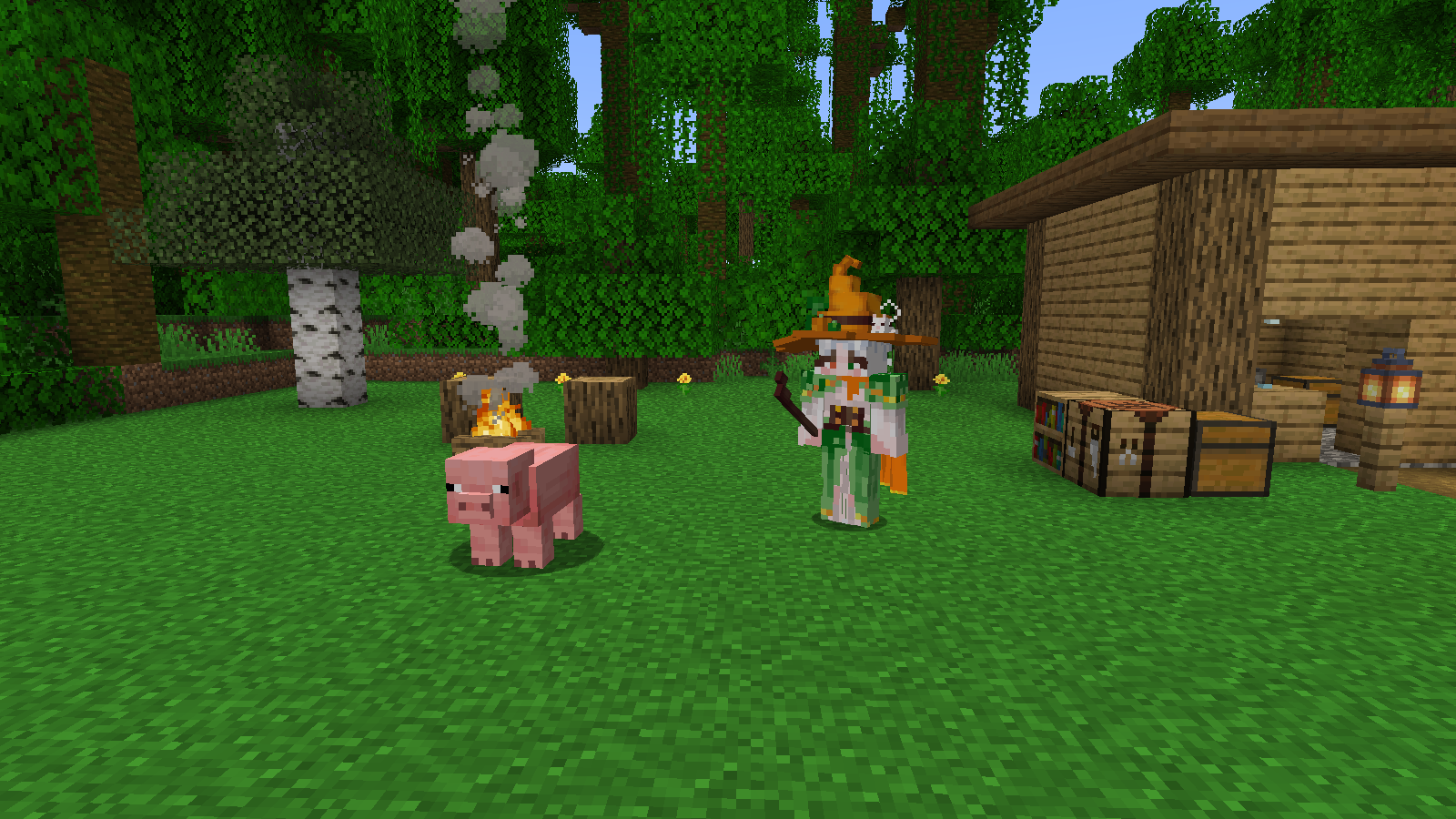
First determine at which layer the error occurs. By testing one effect at a time, it's easier to find the cause.
Check to save only in the current browser to facilitate learning next time.
| Issue Encountered | Check this place first |
|---|---|
| gradlew.bat not found | Can the Terminal see the project root directory of build.gradle? Has the ZIP been fully extracted? |
| Java compiled version error | Are both Project SDK and Gradle JVM JDK 21? |
| Dependency download failed | Check the network and resynchronize Gradle; the first run requires downloading Minecraft resources. |
| No Witch Appears in the World | Wait one second, enter /witch summon; check whether the public entry calls WitchContent.register(). |
| The model is invisible or has a purple-black texture | Check the client's two lines of registration and the grid and 6 PNGs under assets/simon-minecraft. |
| No zombies at night | Difficulty must not be Peaceful. The zombie must be within 16 blocks of the player and 12 blocks of the witch, with a clear line of sight. |
| There are two MODs with the same name | The mods folder contains only one version of simon-minecraft. Do not install the trial version and the original engineering version at the same time. |
| Partner falls behind or gets stuck | Go to the open ground first, and then enter /witch recall. A low room may not accommodate the model. |
When IDEA reports an error when running, look at the first output at the bottom and witch Related errors; the game log is in the project run/logs/latest.log. First record the error text and the operation just now, and then modify the corresponding file.

Complete acceptance checklist for walking, flying, night fighting, archiving, and recall. Once you do that, move on to the next stage.
Make your own version: only change one number at a time
Your Goal for This Step:Modify the damage or guard radius, and record the difference before and after modification.
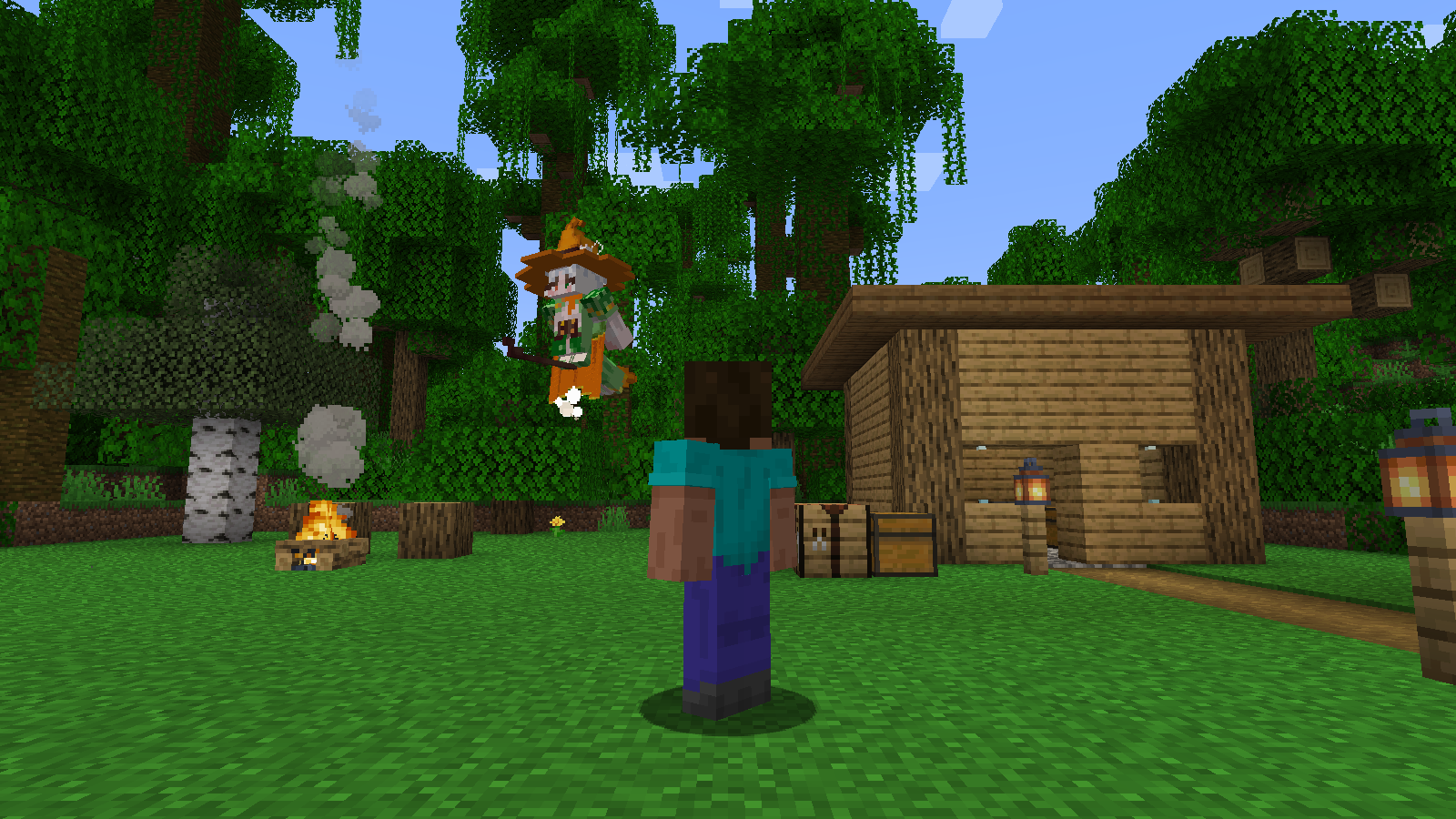
Complete the acceptance first, and then change it into your own work. Don't change many values at once: run it once and record it once.
| Small experiment | Where to modify | What to Observe |
|---|---|---|
| Lighter magic | MAGIC_DAMAGE of entity file: 6.0f changed to 4.0f | Zombies with the same health require more casts. |
| Slower cooling | ATTACK_INTERVAL: 20 changed to 30 | Cast interval changed from approximately one second to approximately 1.5 seconds. |
| Smaller guard circle | GUARD_RADIUS: 16.0 changed to 10.0 | Only actively seek out zombies closer to the player. |
| Lower flight altitude | Change 2.5 in destination to 1.8 | Watch whether flying closer to the ground makes the broom hit obstacles more often. |
______ was modified today. The phenomenon before modification is ______. The modified phenomenon is ______. I decided to keep/withdraw this edit because ______.
Run after completion .\gradlew.bat build. The installable JAR is in build/libs, choose the regular version; files marked -sources A JAR is a source code package. Install into the mods folder of the corresponding Fabric 1.20 game, and put in the matching Fabric API.
Compiled JAR, editable source project, gameplay and version description. Your own archives, account information and logs do not need to be put into the sharing package.
Modify the damage or guard radius, and record the difference before and after modification. Once you do that, move on to the next stage.
Project notes
Take your ideas to the next project.
You have completed a complete route from gameplay design, model connection, registration, behavior to debugging and release. You can also use this project map the next time you make a robot, elf, or pet companion.
Project version: 2026-10-04. In-game checks cover automatic spawning, duplicate prevention, walking, flying, day and night attacks, friendly animals, saved ownership, long-distance recall, dimension changes, disabling and restarting the companion, plus solid-wall obstruction. Every scene image on this page was captured in an independent Minecraft 1.20 test world. Some shots hold the character in place to make the motion easier to see, and the observing player has night vision in the night-combat shots. Mind maps explain the program's steps.
Other model resource prompts in the original project belong to existing materials; the learning project of this project only loads the resources that the witch needs. The testing and running steps are based on version 1.20 specified on this page.
Further Reading:Fabric's Minecraft 1.20 Release Notes · 1.20 Pathfinding Entity API · 1.20 World Archive Status API