动作有名字
把一组步骤放进 local function,让代码用途清楚、可重复调用。
 编程学院
编程学院
Roblox Studio · 第 4 课
把函数、Touched 事件、Humanoid 判断和 boolean debounce 组合起来,完成一个只响应玩家、会变色并自动恢复的 TouchPad。
Course overview
玩家碰到机关,门才打开;踩到终点,系统才记录完成;点击按钮,界面才变化。本课学习函数与事件,就是把“发生什么—应该响应什么”的规则写进游戏。
最终作品是一块名为 TouchPad 的互动方块:玩家角色踩上去时,它识别 Humanoid、变为金色并写入 Output;连续的身体部件接触会被 busy boolean 暂时拦住,避免重复触发。
把一组步骤放进 local function,让代码用途清楚、可重复调用。
Touched 把碰到方块的 otherPart 交给处理函数。
识别玩家后变色,并用 busy 防止多次有效触发。
Learning route
每完成一小步,就测试一次。先说出你预计会看到什么,再用 Play 和 Output 检查,不用急着一次写完所有代码。
从 Lesson03 副本另存,保留可运行的上一课版本。
识别名称、参数、函数体、调用与 end。
设置 Anchored、CanCollide、CanTouch,并在它下面放 Script。
使用 :Connect(onPartTouched),把函数交给事件。
从 otherPart.Parent 查找 Humanoid,过滤普通 Part。
用 busy 管理冷却,测试、Stop、保存 Lesson04。
Function & event
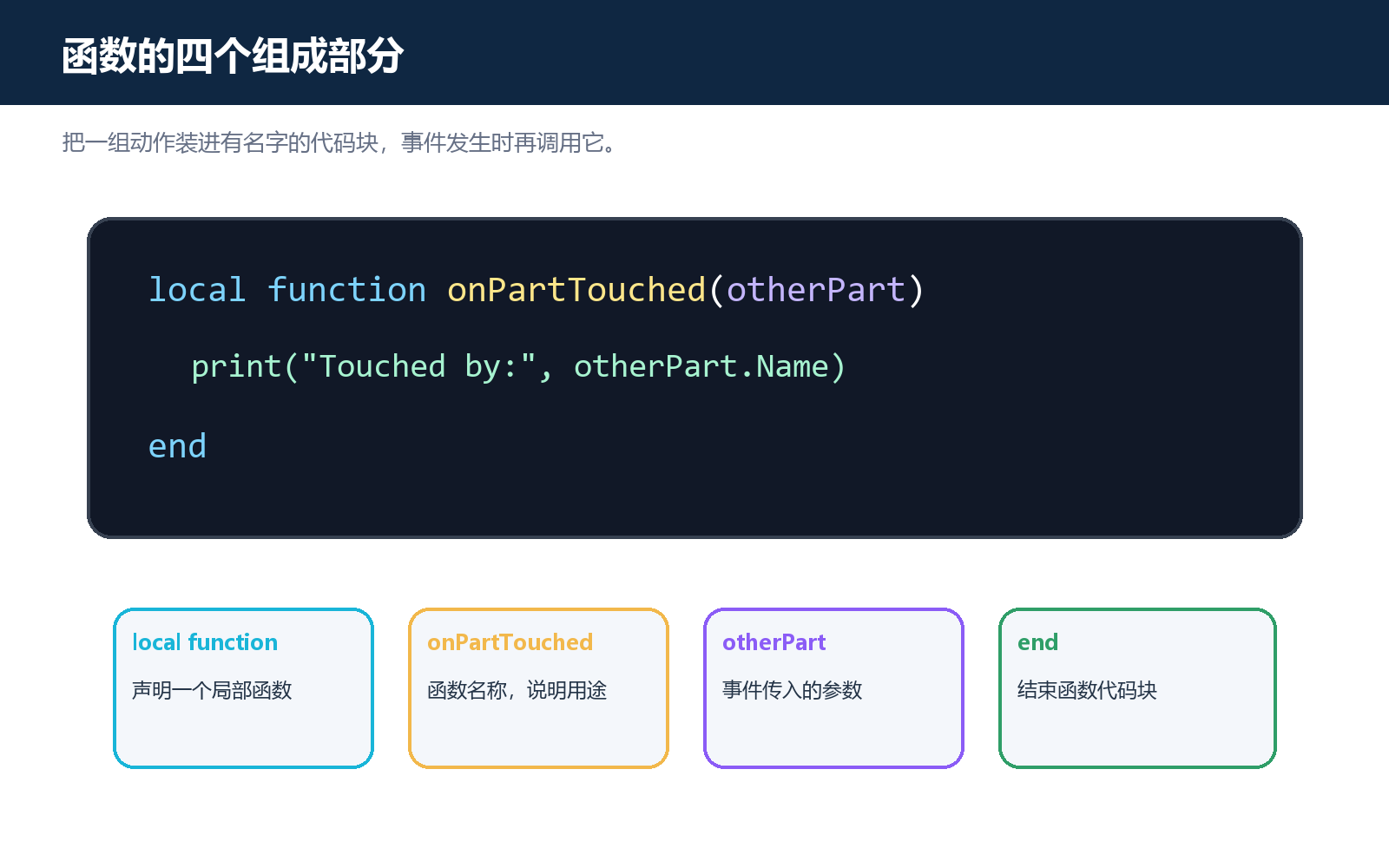
函数是有名称的动作盒子。定义函数时说明它叫什么、接收什么数据、内部做什么;调用函数时才会运行。只有定义 local function sayHello(...) 和 end 不会产生输出,sayHello("Alex") 才是调用。
事件是游戏中发生的通知。Touched 发生时,会把另一个发生接触的 BasePart 作为 otherPart 参数传入。我们不需要每一帧反复检查,而是先把函数连接给事件。
local touchPad = script.Parent

local function onPartTouched(otherPart)
    print("Touched by:", otherPart:GetFullName())
end

touchPad.Touched:Connect(onPartTouched)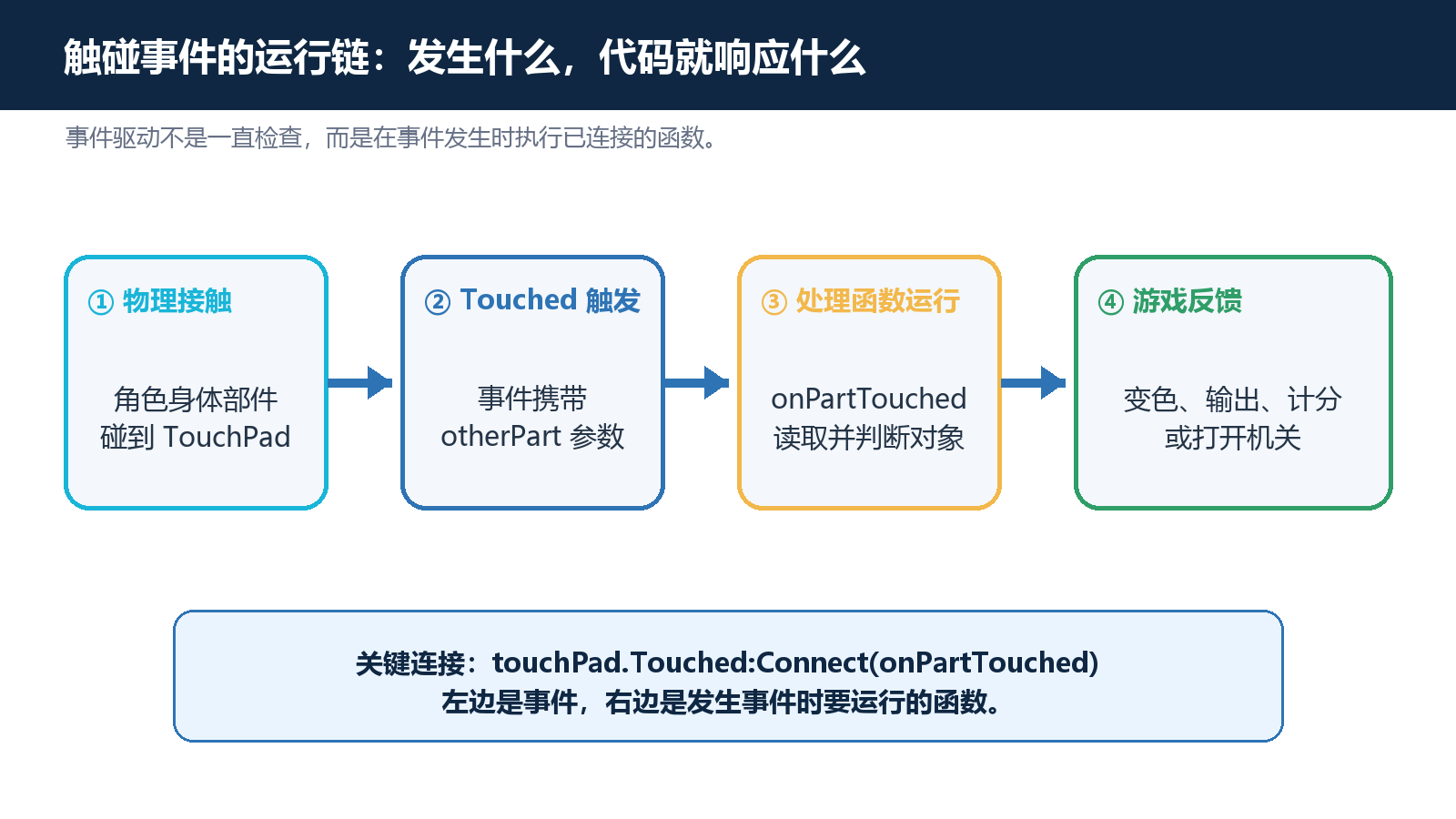
TouchPad setup
在 Workspace 插入 Part,用 Scale 制作为约 12×1×12 studs 的扁平方块。把 Anchored、CanCollide、CanTouch 都设为 true,命名为 TouchPad,并放在 SpawnLocation 前方的安全位置。
点击 TouchPad 的加号创建普通 Script,命名 TouchHandler。因为脚本是 TouchPad 的子对象,所以 script.Parent 就是要控制的方块,不必另外按名称寻找。
local touchPad = script.Parent
print(touchPad.Name)Player filter
角色并不是一个单独的 Part。脚、腿、躯干和配件都可能触碰 TouchPad,所以一次走上方块可能出现多条消息。普通方块滚过来也会触发事件。我们需要从 otherPart.Parent 查找 Humanoid,只让真正的玩家角色产生反馈。
找不到 Humanoid 时会得到 nil,它在条件中视为 false。使用提前 return 能让后续有效逻辑更清楚。
local function onPartTouched(otherPart)
    local humanoid = otherPart.Parent:FindFirstChildOfClass("Humanoid")
    if not humanoid then
        return
    end

    print("Confirmed player character")
endFeedback & debounce
颜色反馈是最直观也最安全的结果。把 READY_COLOR 与 ACTIVE_COLOR 放在脚本顶部,之后修改主题时不必在函数中寻找多个颜色数字。运行中的颜色变化只属于 Playtest 副本,Stop 后会恢复。
多个身体部件会在很短时间内连续触发 Touched。busy 为 true 时立刻 return;确认玩家后再设为 true、变色、等待、恢复颜色,最后把 busy 设回 false。这个防重复触发思路叫 debounce。
local touchPad = script.Parent
local READY_COLOR = Color3.fromRGB(46, 116, 181)
local ACTIVE_COLOR = Color3.fromRGB(242, 184, 75)
local busy = false

local function onPartTouched(otherPart)
    if busy then return end

    local humanoid = otherPart.Parent:FindFirstChildOfClass("Humanoid")
    if not humanoid then return end

    busy = true
    touchPad.Color = ACTIVE_COLOR
    print(otherPart.Parent.Name, "activated TouchPad")
    task.wait(1.5)
    touchPad.Color = READY_COLOR
    busy = false
end

touchPad.Touched:Connect(onPartTouched)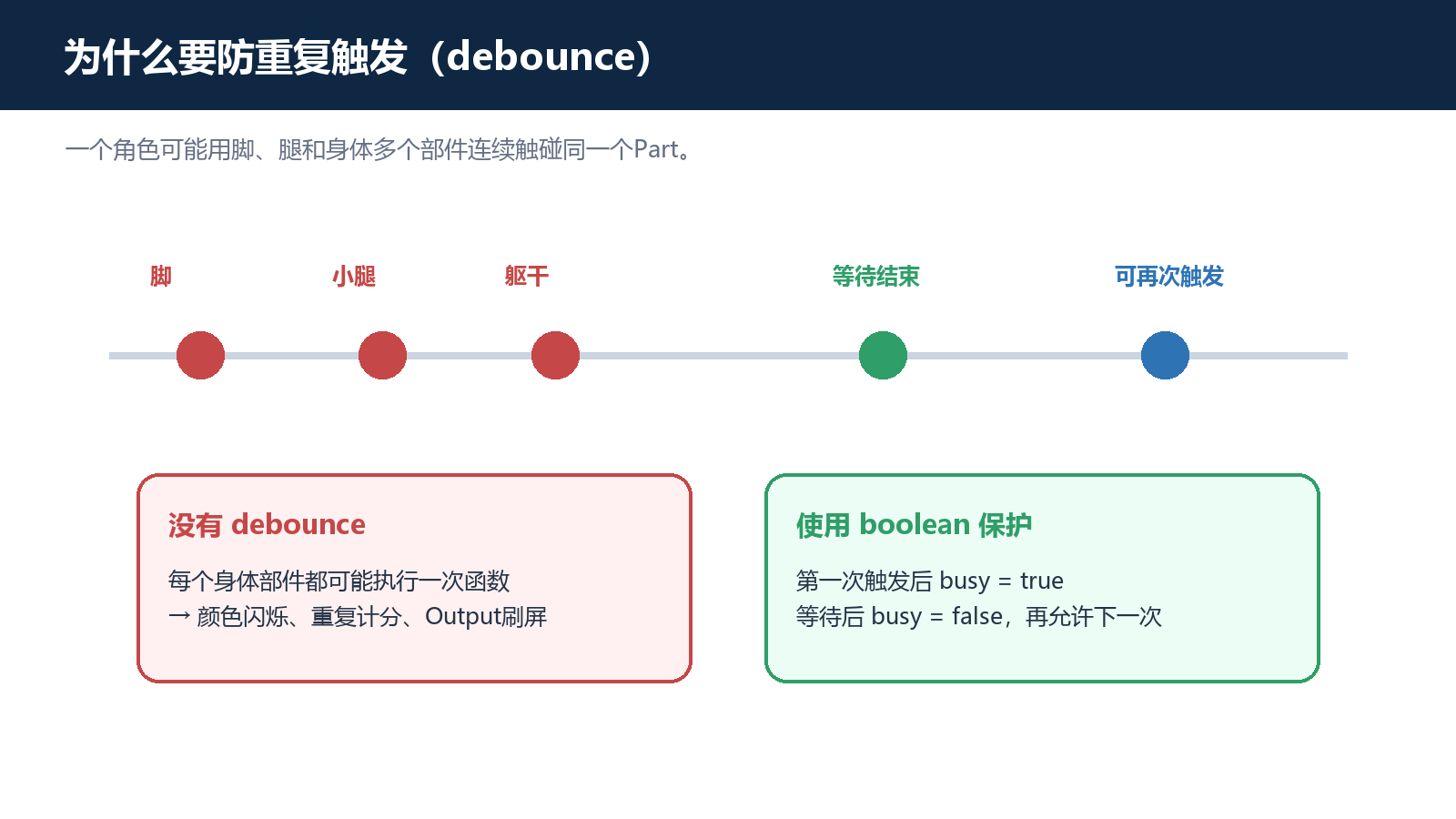
Homework
在安全位置制作终点方块,设置 Anchored、CanCollide、CanTouch 为 true。
使用 script.Parent、otherPart、Humanoid 判断和一个局部函数。
玩家首次触碰变绿、2 秒后恢复;普通 Part 不触发,连续触碰只产生一次有效消息。
Exit questions
括号会立即调用函数;Connect 需要接收函数本身,等事件发生后再调用。
Touched 事件传入的、与 TouchPad 发生接触的另一个 BasePart。
它让机关只响应玩家角色,而不是任意普通 Part。
在冷却期间阻止连续身体部件触碰重复执行同一段有效逻辑。