
WHAT YOU WILL MAKE
Make a three-question character creator
In the past, programs would only speak words we wrote in advance. Now connect it to an input channel: it asks for the name, and you answer it; it asks for the level, and you decide. However, the user may also enter it incorrectly, leave it blank, or give a ridiculously large number. Being able to read is just the beginning. Being able to interpret and handle these situations makes the program more like a reliable partner.
Before you start: It is recommended to complete Lessons 1–5 first, using Java 11 or newer

01 / 11
From monologue to dialogue

After asking "What is the player name?", the program needs to stop and wait. After the reading is completed, the answer will become the value of the variable. A reliable interaction should let people know: what to answer now, what are the requirements for the answer, and how to modify it if it does not pass.
- Reading: Bring the content in the input channel into the program.
- Analysis: Convert numerical characters into numerical values.
- Verification: Check whether the data conforms to the rules of the work.
02 / 11
Scanner turns on the input channel
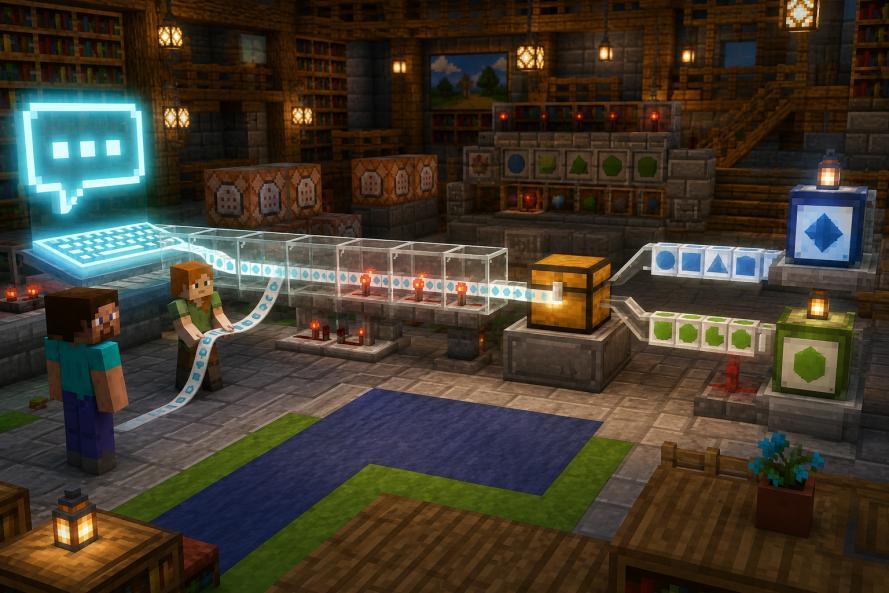
- HintLet’s talk about what we want first
- ReadnextLine
- ExplanationWhen numbers are needed
- AuthenticationCheck rules
- UseOutput or calculation
Complete program · FirstInput.java
import java.util.Scanner;

public class FirstInput {
    public static void main(String[] args) {
        Scanner in = new Scanner(System.in);
        System.out.print("Player name: ");
        String name = in.nextLine();
        System.out.println("Received: " + name);
    }
}
Input
Red Stone
Output
Player name: Received: Red Stone03 / 11
What do nextLine, next, and nextInt read?
| Method | Input example | Contents taken away |
|---|---|---|
| nextLine() | Red Stone + Enter | Whole row of Red Stone |
| next() | Red Stone + Enter | The first mark Red |
| nextInt() | 64 + Enter | Integer mark 64, the remaining row contents are still |
Snippet: place inside main and run separately
Scanner in = new Scanner(System.in);
String first = in.next();
String rest = in.nextLine();
System.out.println("word=<" + first + ">");
System.out.println("Remaining=<" + rest + ">");
Input
Red Stone
Output
word=<Red>
Remaining=< Stone>
By default, next reads tokens separated by whitespace; nextLine reads the remainder of the current line without end-of-line separators. They are not abbreviations. nextInt is also read in integer format, and incorrect input may trigger an exception.
04 / 11
Analysis: text variable value, format should be clear
- Original text"64"
"-12.5" - Analyze separatelyparseInt
parseDouble - Numerical resultsint 64
double -12.5
Snippet: place inside main and run separately
String text = "64";
int diamonds = Integer.parseInt(text);
double x = Double.parseDouble("-12.5");
int level = Integer.parseInt(" 8 ".strip());
System.out.println(diamonds + 1);
System.out.println(x);
System.out.println(level);
Output
65
-12.5
8
parseInt is not responsible for guessing units, nor for rounding decimals to whole numbers. "64 blocks", "8.5", empty strings, or values beyond the int range will fail to parse. It is a clear route to strip the blanks at both ends first and then parse.
05 / 11
Verification: The appearance is passed, but it does not mean that the numerical value is qualified.

Snippet: place inside main and run separately
String text = "64";
boolean digitsOnly = text.matches("[0-9]+");
boolean customName = "Alex_7".matches("[A-Za-z0-9_]{3,16}");
int level = 8;
boolean levelOK = level >= 1 && level <= 30;
System.out.println(digitsOnly);
System.out.println(customName);
System.out.println(levelOK);
Output
true
true
true
matches checks the entire string. [0-9]+ represents one or more numeric characters in this example; the name expression is a 3 to 16-digit rule customized by a certain practice server, and is not a universal rule for all player names.
06 / 11
Why does the name seem to be skipped?

Experiment: Enter 12, press Enter, and then enter Alex
Scanner in = new Scanner(System.in);
int age = in.nextInt();
String name = in.nextLine();
System.out.println("Age=" + age);
System.out.println("Name=<" + name + ">");
Input
12
Alex
Output
Age=12
Name=<>
When 12 is followed by a carriage return, nextInt takes away 12, and nextLine immediately reads the remaining empty content of the current line. It's not that the computer doesn't like Alex, it's that you read another boundary.
One of the amendments: explicitly discard the remaining entire line after the integer
Scanner in = new Scanner(System.in);
int age = in.nextInt();
in.nextLine();
String name = in.nextLine();
System.out.println(age + " / " + name);
Input
12
Alex
Output
12 / Alex07 / 11
Exception handling: The number is too large, please explain clearly
| Type | Enter | There should be results |
|---|---|---|
| Normal | 8 | Accept |
| Border | 1、30 | Accept |
| Crossing the line | 0、31 | Tips 1 to 30 |
| Format | abc, 8.5, empty content | Reject integer format |
| Too large | 999999999999 | Capture parsing exceptions |
Snippet: place inside main and run separately
String text = "999999999999";
try {
    int level = Integer.parseInt(text);
    System.out.println("Level=" + level);
} catch (NumberFormatException e) {
    System.out.println("Please enter int Integers within the range");
}
Output
Please enter int Integers within the rangeFirst, use try/catch to create a layer of shield: try to parse in try, and when a corresponding exception occurs, catch will output a clear prompt. It turns parsing failures into specific instructions, letting users know how to modify the input. Exceptions will be discussed in detail in subsequent courses.
08 / 11
Three-question character creator: write the rules first
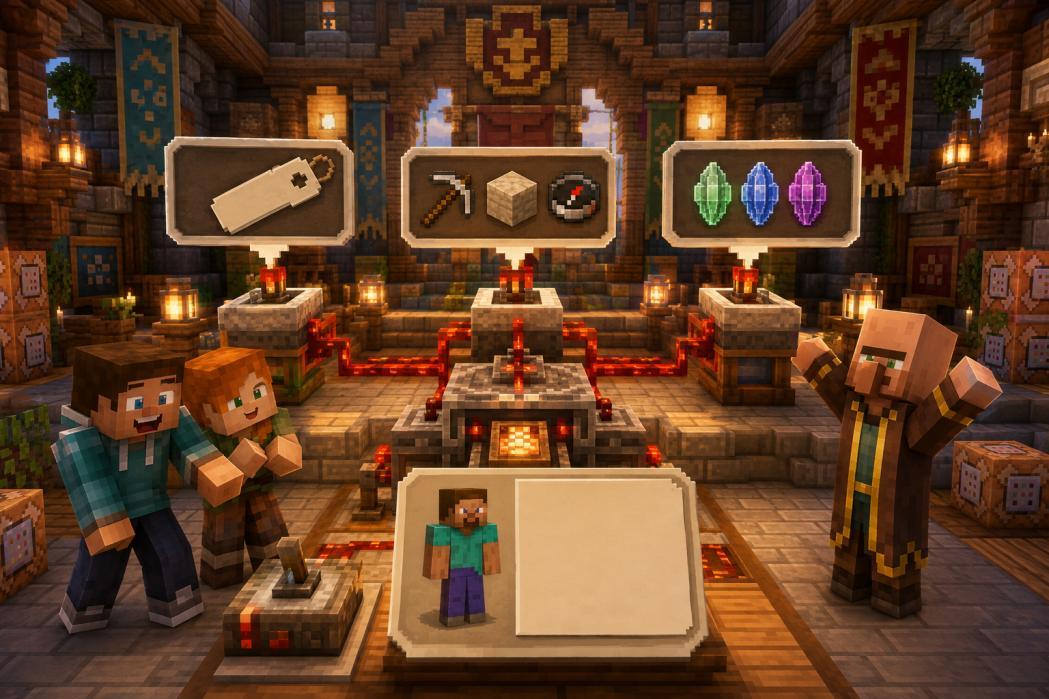
- Player namestrip is not empty after
- OccupationChoose one of the three Chinese
Or English alias - LevelNumerical text
1 to 30 after parsing - ResultQualified files
Failure to give reasons
Player names are allowed in Chinese and cannot be empty after clearing the blanks at both ends. Occupations accept miners, builders, and explorers, as well as case-insensitive miner, builder, and explorer. Level only accepts integer literals composed of numeric characters, and the parsed value must be between 1 and 30.
09 / 11
Complete Work: Character Creator
Complete program · RoleCreator.java
import java.util.Scanner;
import java.util.Locale;

public class RoleCreator {
    public static void main(String[] args) {
        Scanner in = new Scanner(System.in);
        System.out.println("Player name: ");
        String name = in.nextLine().strip();
        System.out.println("Occupation: miner / Constructor / Explorer");
        String job = in.nextLine().strip();
        System.out.println("Initial level: 1 to 30");
        String text = in.nextLine().strip();
        String alias = job.toLowerCase(Locale.ROOT);
        if (alias.equals("miner")) job = "Miner";
        if (alias.equals("builder")) job = "Constructor";
        if (alias.equals("explorer")) job = "Explorer";
        boolean nameOK = !name.isBlank();
        boolean jobOK = job.equals("Miner")
            || job.equals("Constructor") || job.equals("Explorer");
        int level = 0;
        String levelError = "";
        if (!text.matches("[0-9]+")) {
            levelError = "The level can only be entered as an integer consisting of numbers.";
        } else {
            try {
                level = Integer.parseInt(text);
                if (level < 1 || level > 30)
                    levelError = "Level must be in 1 to 30 between";
            } catch (NumberFormatException e) {
                levelError = "The level number is too large, please enter 1 to 30";
            }
        }
        if (!nameOK) System.out.println("Player name cannot be empty");
        if (!jobOK) System.out.println("Please choose one of the three occupations");
        if (!levelError.isEmpty()) System.out.println(levelError);
        if (nameOK && jobOK && levelError.isEmpty()) {
            System.out.println("[Role] " + name + " | " + job
                + " | Lv." + level);
        }
    }
}
Input
Alex
miner
8
Output
Player name:
Occupation: miner / Constructor / Explorer
Initial level: 1 to 30
[Role] Alex | Miner | Lv.8
10 / 11
Check each door with test table
| Situation | Name | Occupation | Level | Expected |
|---|---|---|---|---|
| Normal | Alex | Miner | 8 | Character profile |
| Border | A | builder | 1 / 30 | Accept boundaries at both ends |
| English | Steve | MINER | 8 | Occupation display miner |
| Blank | Spaces only | Miner | 8 | Name cannot be empty |
| Format | Alex | Miner | 8.5 | Level only accepts numbers |
| Too large | Alex | Miner | Many 9's | Prompt that the number is too large |
| Crossing the line | Alex | Miner | 31 | Range prompt from 1 to 30 |
| Occupation | Alex | Knight. | 8 | Career Selection Tips |
Prompt text is also part of the work. "Input error" is too general and the user doesn't know what to change. The reference program checks the name, occupation and level respectively; if there are multiple problems, multiple prompts will be given.
- Enter Red Stone: Internal spaces in names are preserved.
- Input level 008: Display Lv.8 after analysis.
- Input level +8 or -1: Rejected by this work's digital appearance rules.
- When changing to your own verification rules, modify the prompts and test tables synchronously.
11 / 11
From “can read” to “can explain”
- QuestionClear reminder
- ReadnextLine
- ExplanationparseInt
- AuthenticationFormat and scope
- AnnotationsItem-by-item error prompts
- Basics: Read the name and age, and first predict which variable the two lines of input will be caught by.
- Advanced: Read two coordinates, parse them into double, check the finiteness and calculate the difference.
- Creation: Make a transaction summary, inquire about items, quantity and unit price, and clarify verification rules.
30 seconds self-test
① Why can't nextInt replace nextLine? ② If a long string of numbers passes matches, will it definitely fit into int? ③ After reading the integer 31, does it meet the level rules?
Technical Reference: Scanner, Integer, Double, and String APIs of Java SE 11. Official documentation: docs.oracle.com/en/java/javase/11/docs/api/.
TAKE IT WITH YOU
Take the lesson offline
The complete lesson, code, diagrams and exercises, in your preferred language.